
Table of Contents
7 Signs Your WordPress Site Has Been Infested By SEO Spam

Your search engine rankings have dropped, erratic traffic patterns emerge, and spammy content appears in search results. This is SEO spam, a sneaky practice that can ruin your hard work and harm your site’s reputation.
SEO spam camouflages itself within your content, making it hard to recognize at first glance. However, it can be fairly easy to identify if you know where to look. One common indicator is unexpected or irrelevant content appearing in search results for your page. If left unchecked, SEO spam can hurt your search rankings and make visitors lose trust.
But don’t worry. With the right knowledge, you can spot and fight SEO spam. In this article, I will walk you through 7 signs that SEO spam has plagued your WordPress site. Understanding these signs will help you act quickly, protect your site, and regain your search rankings.
TL;DR: SEO spam can harm your site by lowering search rankings, slowing down performance, and eroding visitor trust.
Keeping your website protected with a professional WordPress maintenance service can prevent SEO spam, malware injections, harmful redirects, and unauthorized access before they damage your rankings.
What is SEO spam?
SEO spam, or search engine spam, is a harmful practice where attackers exploit your website to boost their search rankings. Attackers gain unauthorized access to your site and add spam links and content.
As a result, when users search for your site or its content, these spam links appear within the search results. Users clicking these links are then redirected to the attackers’ spammy sites.
This manipulation drives traffic to spammy sites, ultimately improving their search rankings. If left unchecked, SEO spam can hurt your search rankings and erode visitors’ trust in your site.
The impact of SEO spam can be severe. The unwanted elements added to your website can slow it down and damage its reputation, making visitors lose trust. This can be disheartening, especially when you’ve used some of the best SEO plugins to get your site to rank.
A common tactic attackers use is inserting keywords and links that don’t match your content. These spammy links usually lead to low-quality or harmful websites. When search engines notice these tricks, they penalize your site by reducing its visibility in search results. This leads to rank drops and significant losses in traffic, ultimately harming your site’s reputation and credibility.
Additionally, attackers can also create fake user accounts or add new pages filled with spammy content. This makes it hard for genuine users to find valuable information and can also overwhelm your site’s resources.
Types of SEO spam
SEO spam can take many forms, each designed to sneak into your site and cause trouble. Here are some common types:

- Hidden links and text: Spammers hide links and text in the background, making them invisible to visitors but visible to search engines. These hidden elements lead to suspicious websites.
- Fake user accounts: Spammers create fake accounts to add irrelevant links and spammy links that lead to low-quality and harmful websites.

- Spammy content: Hackers can add pages or posts filled with irrelevant keywords and links. This content can confuse visitors and reduce the overall quality of your site.
- Redirects: Spammers set up redirects that send your visitors to harmful websites, damaging your site’s reputation.
- Malicious scripts: Malicious scripts hidden in your site’s code can slow it down, steal data, or harm your search rankings.
7 signs of SEO spam
Detecting SEO spam early can save your website from serious problems. Here are some signs to keep an eye out for:
- Unusual traffic patterns: If you notice sudden spikes or drops in your website’s traffic, it might be due to SEO spam. Check your analytics for any unexpected changes.
- Strange search results: If your site shows up in search results for keywords you didn’t target, spam might be the reason. These unexpected keywords can indicate hidden content or links.
- Unexpected outbound links: Finding links on your site that point to unrelated or suspicious websites is a big red flag. These are usually added to boost other sites’ rankings using your platform.
- Altered meta descriptions and titles: If your meta descriptions and titles have been changed without your knowledge, it could be the work of spammers trying to manipulate search engine results.
- New pages you didn’t create: Finding new pages on your site that you didn’t create can be a sign of spam. These pages often contain spammy content that harms your site’s quality.
- Sudden drop in performance: If your website becomes slow or unresponsive, it might be due to malicious scripts or extra spammy content hogging your resources.
- Fake user accounts: An inflow of new user accounts posting irrelevant comments or content can indicate spam activities. These fake accounts can clutter your site with useless information.
How they affect your site
SEO spam can seriously harm your website in several ways, like:
- Lower search rankings: Search engines don’t like spam. If they find hidden links or spammy content on your site, they can lower your search rankings, making it harder for people to find you.
- Slower performance: Malicious scripts and extra spammy content can slow down your website. A slow site frustrates visitors, making them leave quickly.
- Loss of trust: When visitors see odd links, fake accounts, or suspicious redirects, they lose trust in your site. This can lead to fewer visitors and a damaged reputation.
- Security risks: Spam can open the door to more serious security issues. Malicious scripts and redirects can lead to data theft or even allow hackers to gain control over your site.
How to fix SEO spam?
Fixing SEO spam is crucial to keep your website safe and trustworthy. Here’s how you can tackle it:
Identify the problem
First, find out where the spam is hiding. Look for unusual links, strange content, or fake user accounts. Tools like Google Analytics can help spot traffic spikes and drops.
Run a security scan

Use a robust security plugin like MalCare to scan your site for hidden threats. These tools can find and remove malicious scripts hiding in your code

Update your site
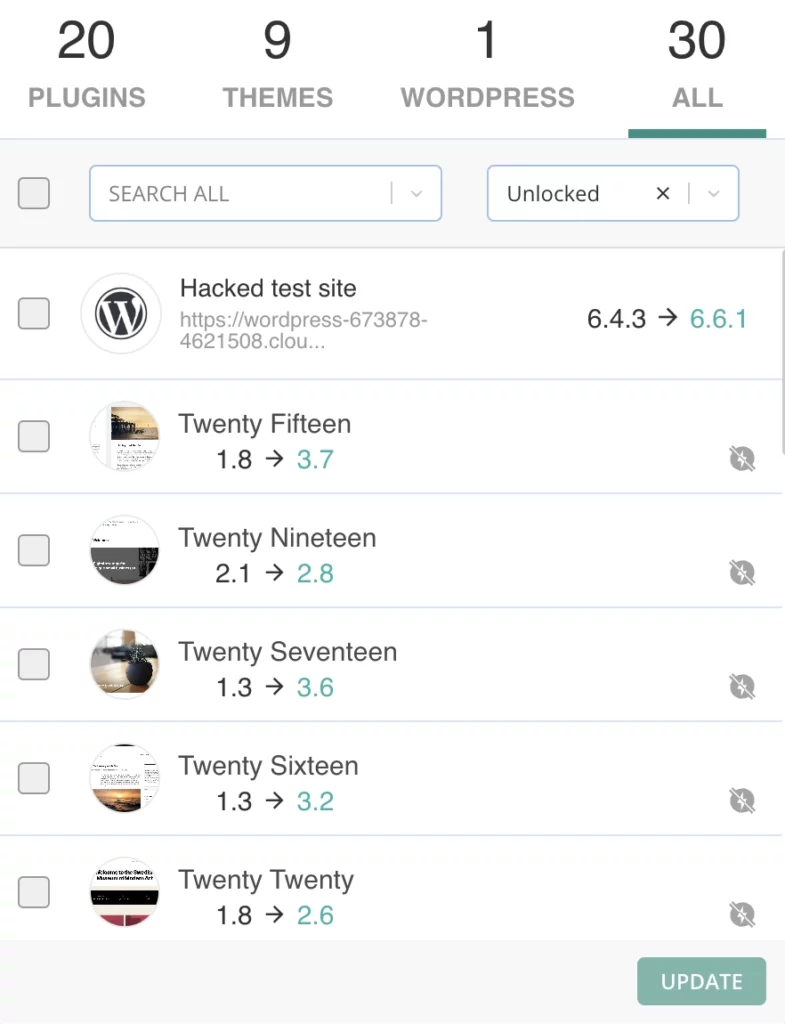
Ensure your WordPress core, themes, and plugins are up-to-date. Updates often include security fixes that can protect your site from future attacks.
Change passwords
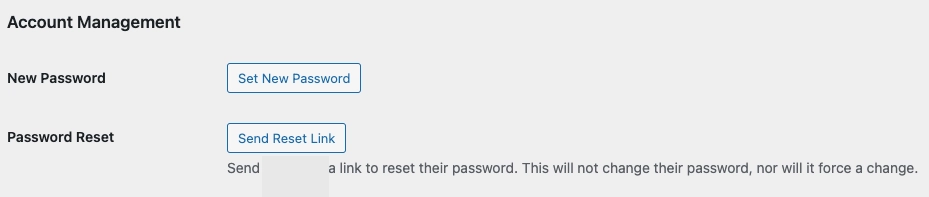
Change passwords for all your accounts, especially admin accounts. Use strong, unique passwords to make it harder for hackers to get in.
Remove suspicious content
Delete any spammy content you find. Get rid of hidden links, fake pages, and suspicious user accounts. Make sure to clean up every corner of your site.
Monitor your site regularly
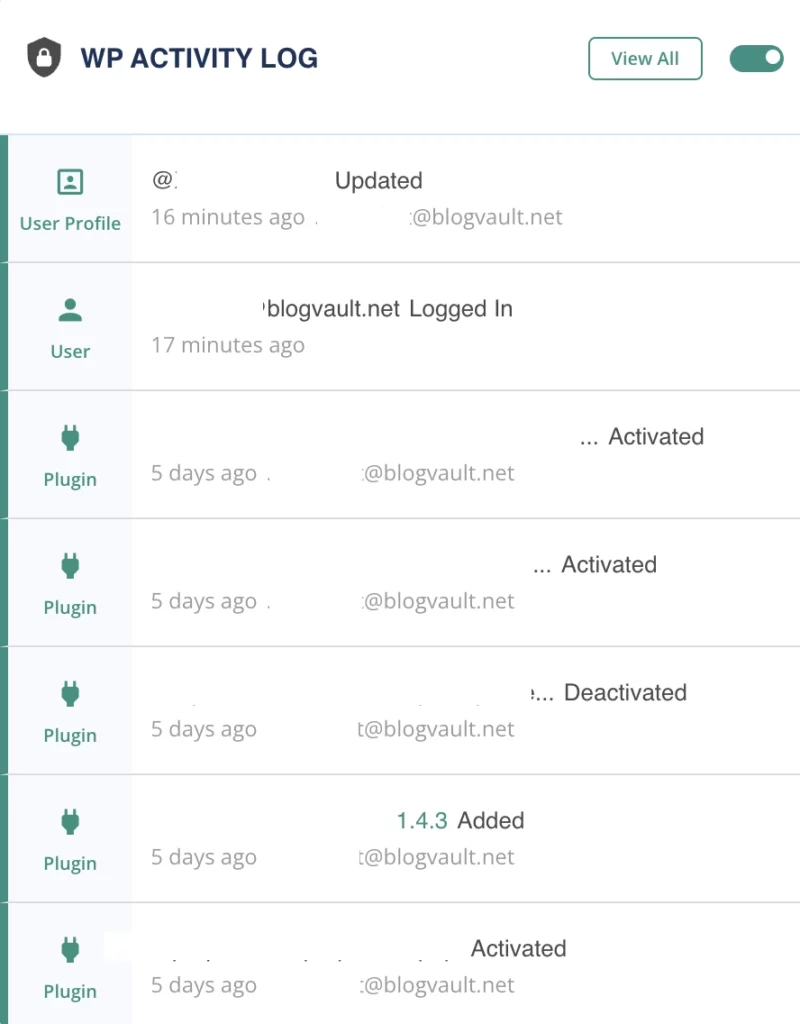
Keep an eye on your site even after you’ve cleaned it up. Regularly check for new spam and run security scans to catch any new problems early.
Parting thoughts
SEO spam can quietly infiltrate and weaken your WordPress site, damaging your search rankings, performance, and user trust. By spotting the signs of SEO spam early and acting quickly, you can protect your website.
Using the best SEO plugins and keeping a close watch on your site are key steps in maintaining a secure, high-performing, and trustworthy online presence.
FAQ
What is SEO spamming?

SEO spamming, also known as search engine spam, is when attackers use your website to manipulate search engine rankings for their own sites. They sneak in unwanted links, content, or scripts without your knowledge, harming your site’s performance and reputation.
How do I stop SEO spam?
To stop SEO spam, identify and remove suspicious content, and run security scans using a plugin like MalCare. Additionally, update plugins, and change passwords. Regularly monitor your site for the presence of any new spam to stay protected.
How do I remove spam backlinks?
You can identify spammy backlinks using tools like Google Search Console or Ahrefs. Reject harmful links by submitting a deny file to Google Search Console and, if possible, contact webmasters to request removal.
How do you detect spamming?
You can detect spamming by monitoring traffic patterns, checking search results for unexpected keywords, auditing outbound links, reviewing meta descriptions, identifying new pages, observing site performance, and auditing user accounts.

Leave a Reply
Articles
Related Insights.
Blogs and Resources on WordPress, WooCommerce, SEO and Marketing

Leave a
Comment.