
Table of Contents
Building Trust on a Medical Website
Choosing the Right Booking System for Your Clinic
At a Glance: Matching the Approach to the Clinic
The Non-Negotiables, No Matter the Type
The Messier Realities of Booking Systems
Choosing the Right Tools for Each Clinic
Security: The Part Patients Never See
Does Your Clinic Really Need Online Booking? A Practical Guide for Medical WordPress Sites
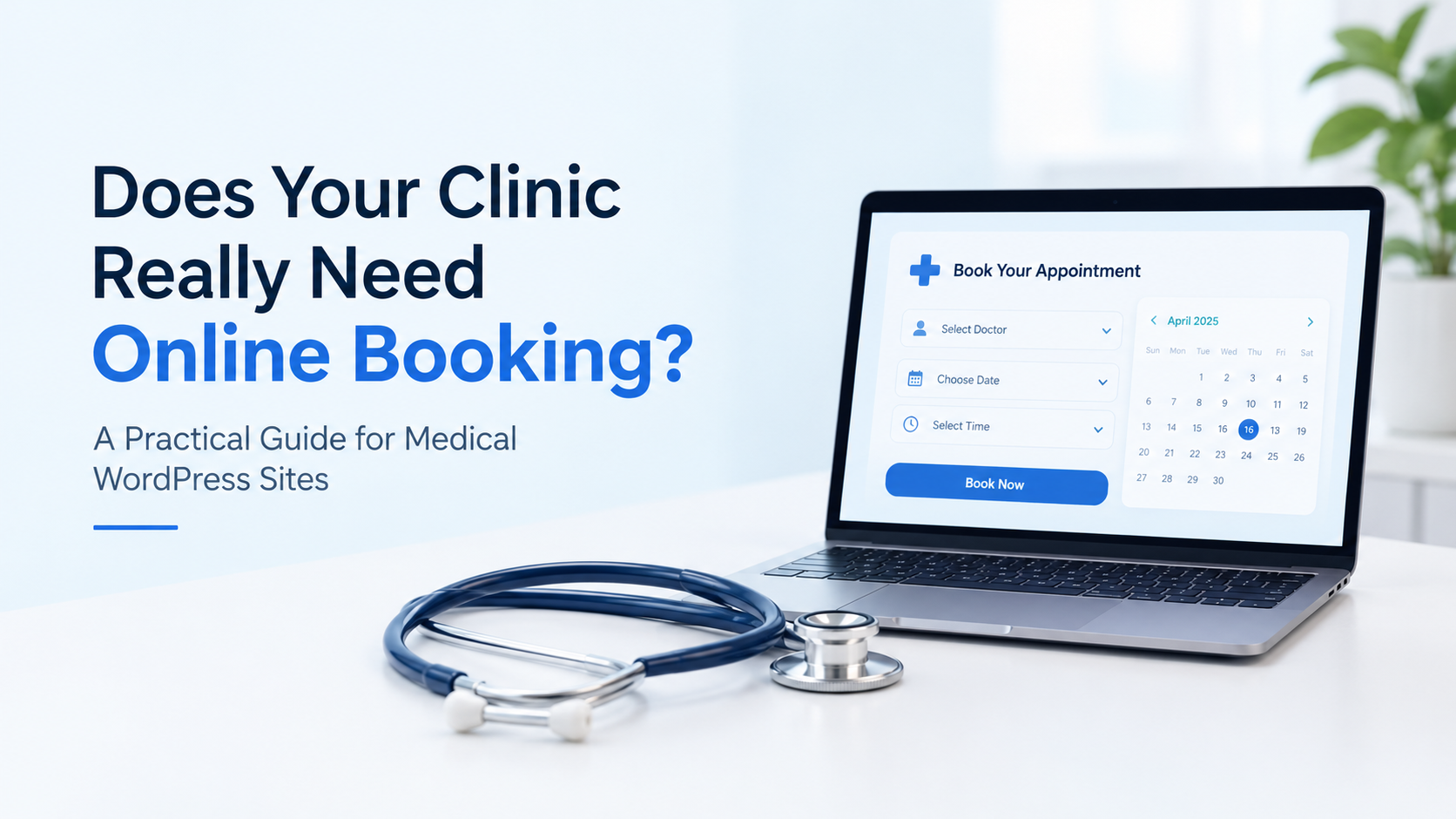
Most clinic websites fail in two places. The first is in the opening seconds, when a patient can’t tell whether this is a clinic they can trust. The second is the next step, when a patient is ready to book and can’t figure out how.
These are two different jobs, and they need different solutions. Trust is universal: services, doctor credentials, and reviews need to be visible immediately, whatever the size of the practice. Booking isn’t. How a patient should book depends on how the clinic already handles appointments and how much its staff can realistically manage. The most common mistake we see is a clinic sold a booking system it doesn’t need.
Here’s how we think about both.
Building Trust on a Medical Website
When a patient lands on a clinic’s website, they should immediately understand what’s going on inside that clinic. What services are offered. What the doctors’ qualifications are, whether it’s a solo practitioner’s page or a full hospital site. And equally important are reviews. Video reviews, written Google reviews, testimonials, it doesn’t matter which. But they need to be front and center, because that’s what turns a random visitor into someone who trusts the clinic enough to book an appointment.
A person visiting a website barely gives it five to ten seconds before deciding whether to stay or bounce. That means trust has to be built almost instantly. The site has to be visually pleasing and immediately deliver the information a patient is looking for. In a medical website, there’s no room for a slow reveal.
Choosing the Right Booking System for Your Clinic
Here’s where it gets interesting. Clinics and hospitals can be very different from each other. We’ve got solo clinics, growing group practices, and large, busy hospitals. So naturally, their booking needs aren’t the same either. Some depend on online booking, some mostly use WhatsApp, and some don’t have an online booking system at all. And that’s not necessarily a problem. It just means they’re at a different stage in how they handle appointments.
As an agency, this is one of the most important calls we have to make: figuring out whether a clinic actually needs online booking, or whether it would just be unnecessary overhead for them.
To make this easier, we think about clinics in three broad archetypes.
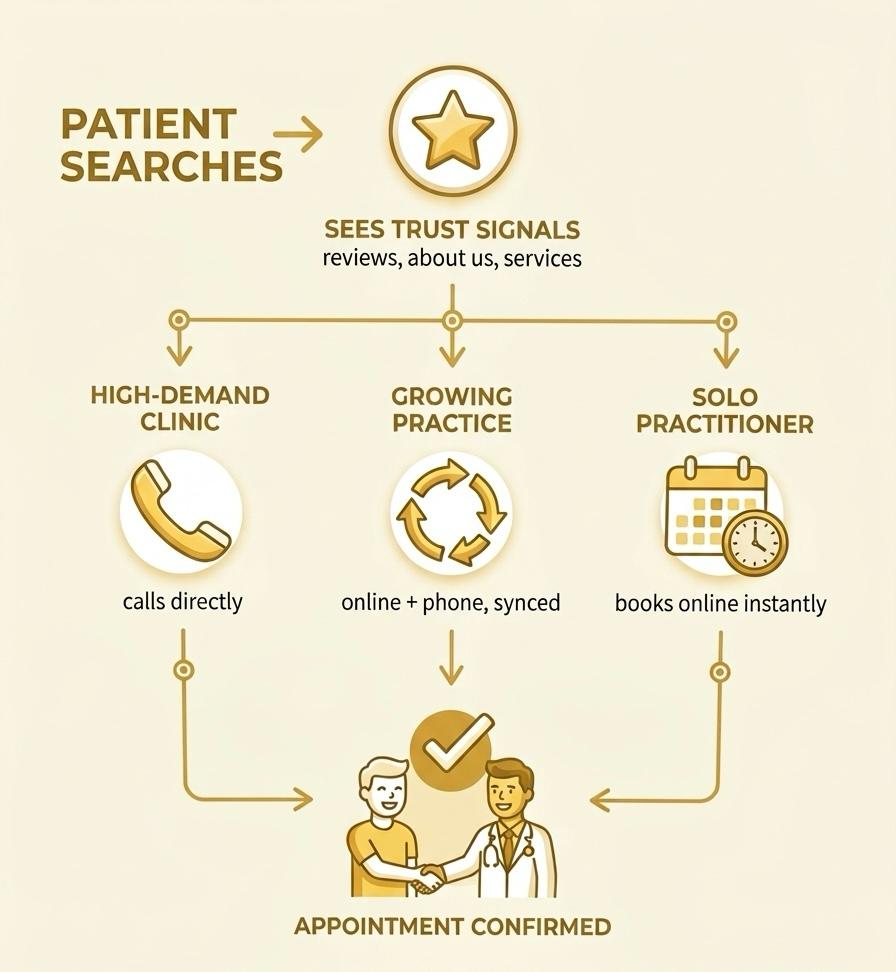
Type A: Full Capacity Clinics
These clinics are booked out two to three months ahead, sometimes more. Growth isn’t the priority here, they’re already at capacity. That changes the website’s job, it doesn’t need to capture more appointments, it needs to make the right patients confident enough to pick up the phone, and make that call easy.
Shanthi Gynec, one of our clients, fit this mold exactly. A well-established, highly regarded gynecology clinic whose calendar was already packed months in advance. Their patients preferred calling in directly, and the clinic was already comfortable with that rhythm. Forcing an online booking system onto them would have just meant more complexity to manage and an extra burden. So we built none. Instead, we put the effort into what actually serves a clinic in this position:
- Doctor credentials and services laid out clearly, so patients arrive already informed
- Reviews front and center, since word-of-mouth and reputation are what drive their referrals
- Local search visibility, including a well-maintained Google Business Profile, an accurate map, and current operating hours, so new patients can still find them even without a booking funnel
- A sticky click-to-call bar, since the phone is effectively their booking system
- Patient-facing content, such as what to expect at a first visit, which cuts down on repetitive front-desk questions
As an agency, our job isn’t to sell every client the same feature set, it’s to actually look at what they need. Staff involvement here stays minimal, the existing front-desk flow stays as is.
Type B: Scaling and Resourced Clinics
These are clinics that have both the patient volume and the internal staff bandwidth to support more sophisticated systems. For a client like this, we typically build both online booking and keep the tele-calling channel alive, carefully integrated so double-bookings don’t slip through the cracks.
Dr. Paul’s practice was exactly this kind of client. Well established, growing, and with enough staff to handle a more complex setup. Before building anything, we sat down with the team to understand exactly how they were currently booking patients and what tools they were already using. Only after that did we design a solution:
- Synced booking channels. We connected online and offline booking flows using APIs and webhooks, so both stayed in sync. This isn’t limited to in-house systems, a clinic’s existing third-party booking tool can be connected the same way.
- Calendar-based availability. Doctor availability can even sync from something as simple as a shared calendar app.
- WhatsApp integration. We built this out because the clinic had enough staff to manage it properly. That’s not a default decision. We research first to see whether a WhatsApp channel would actually get used and maintained, or whether it would just become another inbox nobody checks.
Rather than a straightforward booking portal, we built an appointment request flow: the patient selects a time that works for them and fills out a short form, and that request goes to the clinic’s team, who confirm and finalize the appointment. It’s a small distinction, but it matched how the client actually wanted to operate. We used a simple, lightweight form tool here rather than any pre-made booking template.
This setup asks more of the clinic. It requires dedicated staff to manage and confirm requests, which is exactly the resource this archetype has and the last one doesn’t.
Type C: Solo Practitioners
These are practitioners with a lighter patient load and no administrative team, so the system has to run itself.
Our typical setup is self-serve booking: the patient sees open slots, picks one, and gets an automatic confirmation by email or SMS, no back-and-forth required. The doctor’s availability syncs from a calendar they already use, so there’s no second schedule to maintain. Automated reminders cut down on no-shows without anyone having to chase patients manually.
If a practitioner would rather approve each appointment personally instead of a fully automated flow, we scale down the Type B model instead: a short form, a notification, and a manual confirmation. We base the choice on what that specific practitioner can realistically manage, based on what we learn from the ground.
Staff involvement is close to zero by design, that’s the whole point of this setup.
At a Glance: Matching the Approach to the Clinic
| Archetype | Booking Approach | Typical Tooling Choice | Staff Involvement |
| Full Capacity | Phone-first, no online booking | None kept deliberately simple | Minimal; existing front-desk flow stays as-is |
| Scaling & Resourced | Hybrid: online + tele-calling, synced via API/webhooks | Custom forms plugin, appointment request flow, WhatsApp integration | Requires dedicated staff to manage and confirm requests |
| Solo Practitioner | Fully online self-serve booking, or lightweight appointment request | Off-the-shelf scheduling tool or simple request form, depending on complexity. | Low; designed to run with minimal oversight |
The Non-Negotiables, No Matter the Type
Regardless of which archetype a clinic falls into, a few things stay constant.
- The story. Every clinic – solo practitioner or major hospital needs an “about us” that tells visitors who they are, what they do, and their history.
- The location. Clear and prominent, always – for search visibility, ads, or just helping someone find you on Google Maps. Pair it with a route finder synced to real operating hours.
- The phone number. Even with fully online booking, it can’t disappear. A large share of patients, around 60 to 70% still call to double-check an online booking went through. Kept in reach with a sticky click-to-call bar.
The Messier Realities of Booking Systems
Online booking can be useful, but it still needs to work with how the clinic handles appointments. Sometimes patients cancel, they don’t show up, or occasionally reschedule without telling anyone. And there’s a real, rare, risk of two patients grabbing the exact same slot if a calendar isn’t managed carefully. Handling this well is a shared responsibility between the agency and the clinic. Once the site goes live, someone still has to take care of it.
This is also part of why WhatsApp sometimes enters the picture. Not because every clinic needs it, but because some patients simply prefer texting over calling. Whether it makes sense really comes down to patient volume, available staff to manage it, and budget. There’s no blanket rule here.
Choosing the Right Tools for Each Clinic
The booking process, forms, and trust-building elements all need to work together on a reliable foundation. But we don’t start with a platform. We start with the clinic’s workflow, and choose the tools that fit it.
That flexibility is what lets us mix and match rather than force every clinic into the same mold:
- Scheduling tools for straightforward slot booking
- Patient management systems for patient history and EHR-adjacent functionality
- Lightweight request forms (WP forms) for clinics that confirm appointments manually
- Custom-built components when nothing off-the-shelf fits
We don’t build from templates. Every site is custom, built around what that specific client is trying to communicate, how they want patients to feel, and how their operations actually run.
Security: The Part Patients Never See
Beyond the content that builds trust, there’s a whole foundation underneath a medical website that a patient never sees but absolutely feels the effects of.
Security comes first. That means hosting on infrastructure that’s actually built to handle healthcare data. The kind of hosting where a Business Associate Agreement is signed and taken seriously, along with two-factor authentication as a baseline requirement, SSL across the board, and encrypted databases.
It’s tempting to centralize everything in one place for convenience, but that convenience isn’t worth the risk. And when sensitive patient data is involved in a form, not just a name and phone number, but actual health information, that’s a different conversation entirely. A standard form plugin simply isn’t built to handle protected health information the way it needs to be handled, which is when HIPAA (Health Insurance Portability and Accountability Act) specific form tools come into the picture instead.
And design has to follow the same discipline. A mobile-first layout isn’t a nice-to-have anymore. It’s how most patients are actually finding and using these sites. Pages need to load fast, the visual hierarchy needs to guide the eye toward what matters. Services, contact, booking and every tap target for booking on a phone needs to actually be tappable without someone squinting and missing it twice.
A Few Questions We Get Asked a Lot
What plugin do you use for medical sites?
It depends on what the clinic needs. WP Amelia and Bookly work well for general bookings, while KiviCare is designed specifically for medical practices. We use WPForms for simpler forms. When none of these fit the clinic’s workflow, we build a custom plugin or API integration.
Does every clinic need online booking?
No. Online booking only makes sense when it fits the clinic’s appointment process and staff capacity. Some clinics may work better with phone bookings or a simple appointment request form.
What happens if two patients book the same slot?
This can happen when online and offline bookings are managed separately. For Dr. Paul Dubai, we connected both channels using APIs and webhooks to keep appointments in sync.
Is HIPAA compliant for WordPress out of the box?
No. WordPress itself does not make a website HIPAA compliant. The safer approach is to keep sensitive patient data out of WordPress and use secure, compliant systems for handling it.
What Makes a Medical Website Work
The most important thing an agency can do is actually map out the patient journey. Understanding what a visitor expects to see, which flow makes the most sense for them, and where the friction points are. That means auditing what already exists, identifying operational bottlenecks, and having honest conversations with the clinic about their actual staff bandwidth. And running alongside all of it, quietly but non-negotiably, is data privacy and security. Because none of the trust-building we talked about at the start means anything if patient information isn’t handled with real care.
That’s the whole approach in a nutshell: no templates, no one-size-fits-all booking system, just a genuine effort to understand what each clinic actually needs and build around that.
The goal is simple: make the website easy for patients to use and practical for the clinic to manage.

Shilpa Manoj
Associate Project ManagerShilpa, a seasoned WordPress developer with over 4 years of professional experience, excels in crafting engaging websites, designing themes, and developing plugins. Her expertise extends to seamlessly implementing these elements to establish compelling online presences. She also possesses adept team management skills, ensuring smooth project execution and fostering collaborative environments for enhanced productivity.

Leave a Reply
Articles
Related Insights.
Blogs and Resources on WordPress, WooCommerce, SEO and Marketing

Leave a
Comment.