
Table of Contents
Why FlyingPress Stands Out in Performance Optimization
Key Compatibility & Performance Stats
FlyingPress Dashboard: Your Speed Optimization Hub
Performance & Optimization Insights
FlyingPress Use Cases: Optimizing Performance for Different Needs
Alternatives to the FlyingPress Plugin
FlyingPress Review: Can It Boost Your Website Performance?
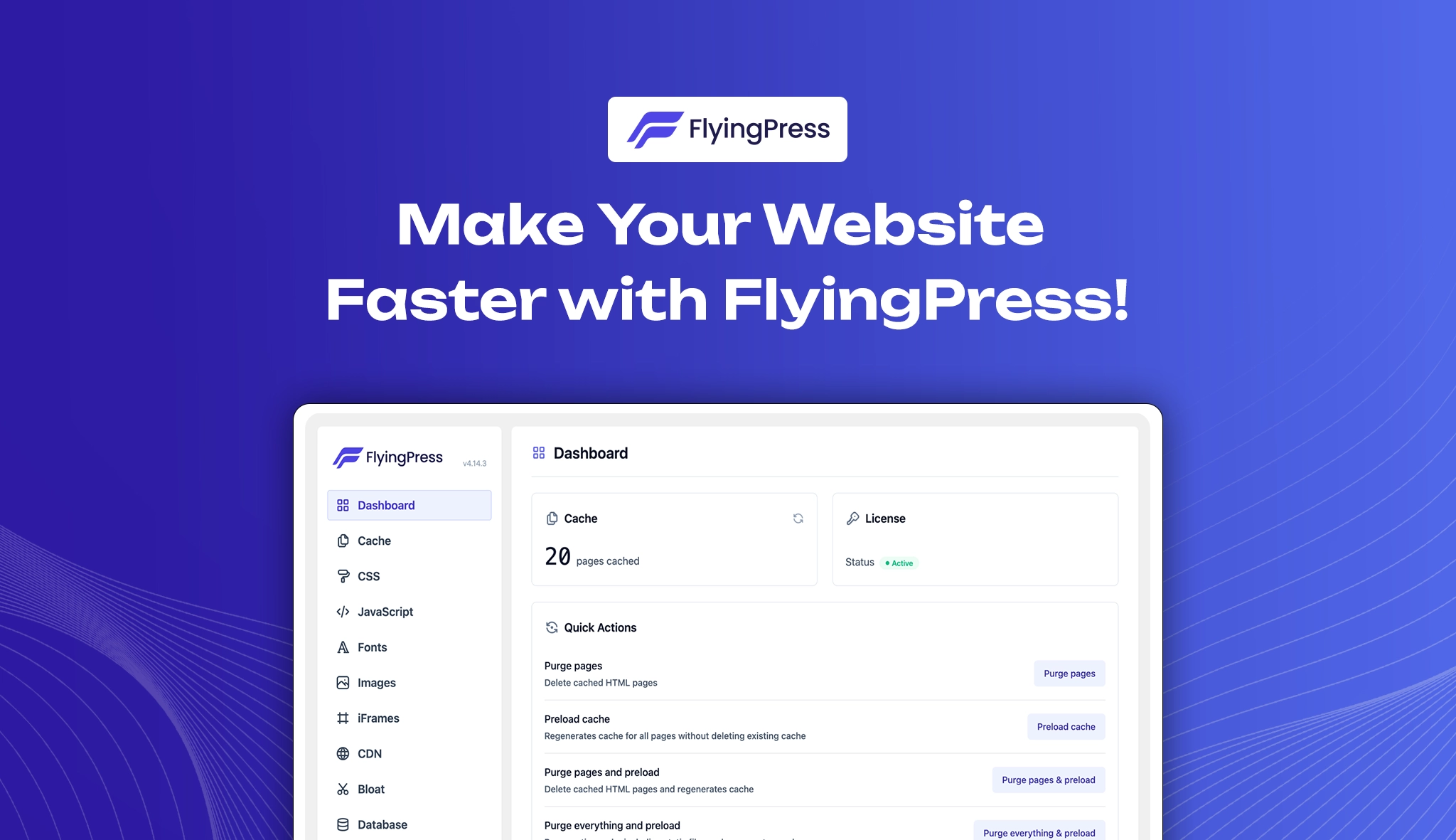
Website speed plays a critical role in online success, as slow-loading pages can lead to poor user satisfaction, lower conversion rates, and decreased search engine visibility. Key steps to enhance performance include selecting a fast theme, investing in high-performance hosting, and using a reliable WordPress optimization plugin. With numerous plugins available, choosing the right one is essential to avoid potential performance issues.
The FlyingPress plugin stands out as a powerful yet user-friendly performance plugin designed to improve website speed with minimal effort. It offers both simplicity for beginners and advanced customization for experienced users. This flyingpress review explores its core features, compatibility, performance impact, installation process, and key insights to help determine if it’s the right fit for your website.
Why FlyingPress Stands Out in Performance Optimization
FlyingPress plugin is a powerful yet easy-to-use plugin designed to make WordPress websites faster with minimal effort. With fewer settings to configure, it simplifies speed optimization while ensuring Core Web Vitals compliance.
As an all-in-one solution, it eliminates the need for multiple plugins, offering seamless compatibility with themes and page builders. Plus, its great support ensures users get the help they need for optimal performance.
Key Compatibility & Performance Stats
- Category: Performance Optimization
- WordPress Compatibility: Supports versions 4.7 and above, including the latest release
- PHP Requirement: Works smoothly with PHP 7.4+
- WooCommerce compatible: Fully compatible, ensuring faster online store experiences
- Active Installations: Trusted by 20,000+ websites
- User Ratings: A remarkable 4.8 out of 5 from over 200+ reviews, highlighting its reliability and efficiency.
FlyingPress Dashboard: Your Speed Optimization Hub
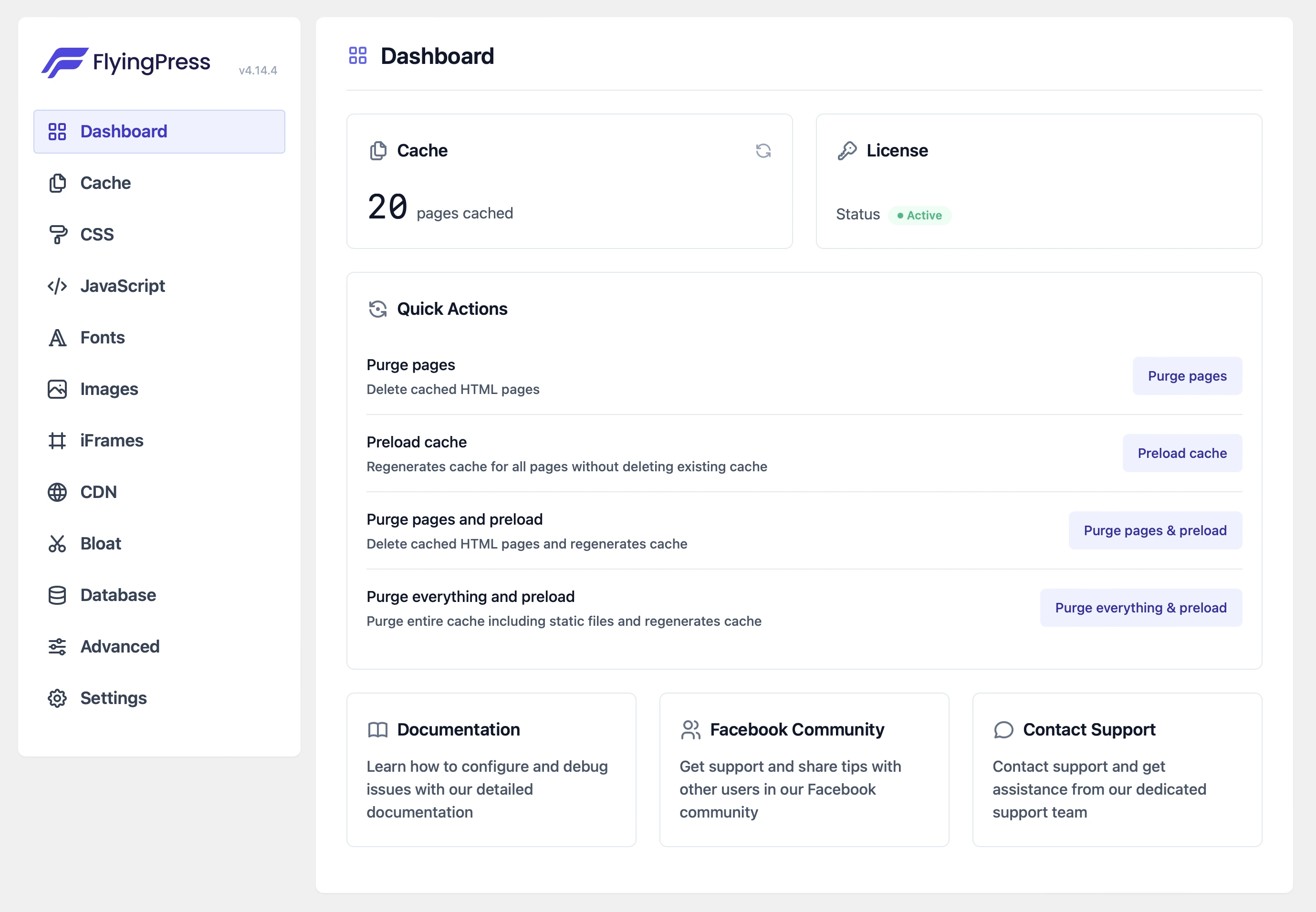
The FlyingPress Dashboard gives you complete control over website performance, making optimization simple and efficient. With a user-friendly interface, it helps you enhance speed, reduce load times, and improve overall responsiveness.
Explore the various sections within the dashboard, each designed to optimize a specific aspect of your site’s performance and ensure a seamless browsing experience.
1. Cache
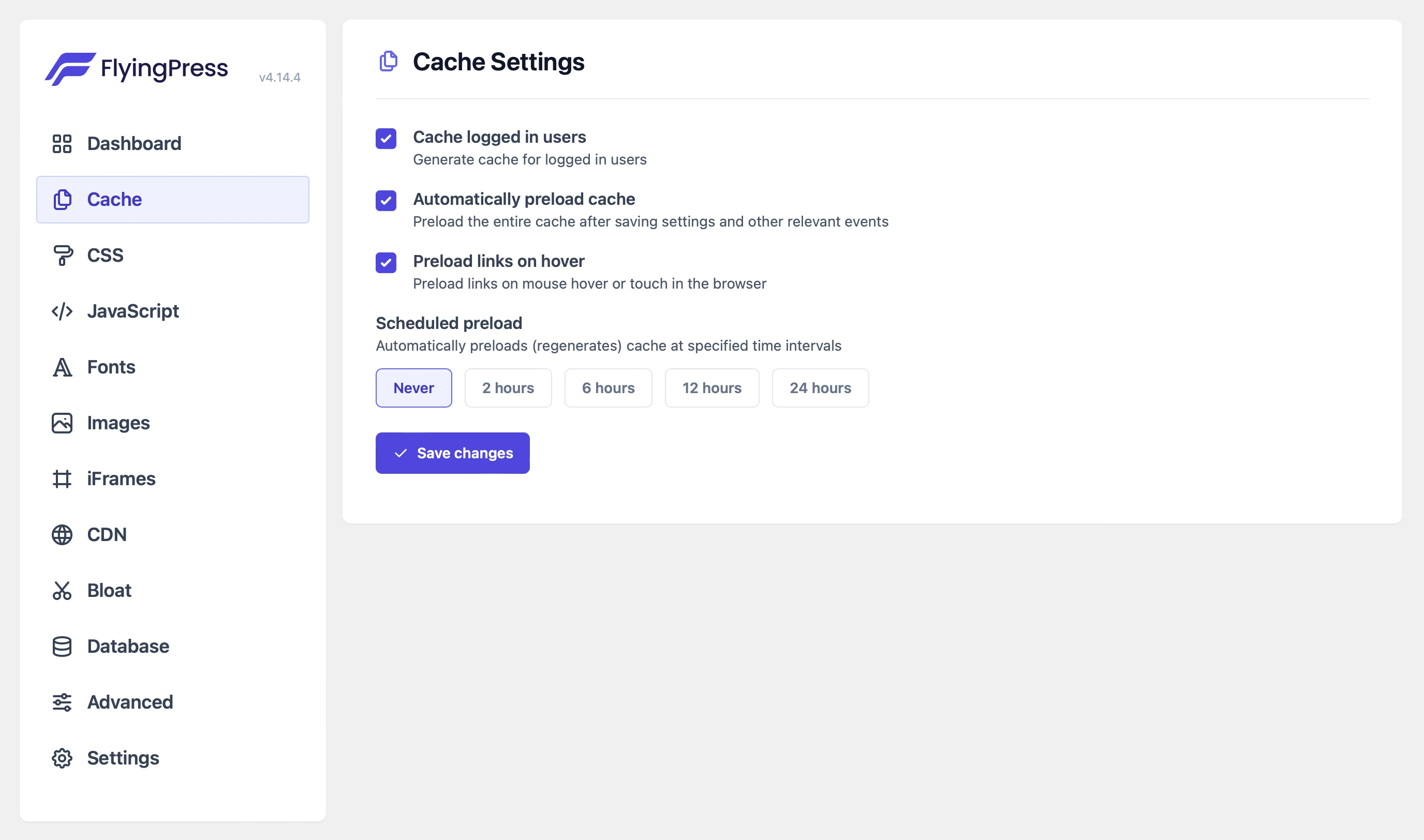
The Cache tab in FlyingPress configures page caching to boost site performance. It automatically preloads the cache for frequently visited pages, ensuring fast load times. You can also exclude specific users, pages, or content types from caching, giving you more control over your caching strategy. These optimizations help minimize server load and deliver a smoother browsing experience for all users, ensuring your site is fast and responsive.
2. CSS
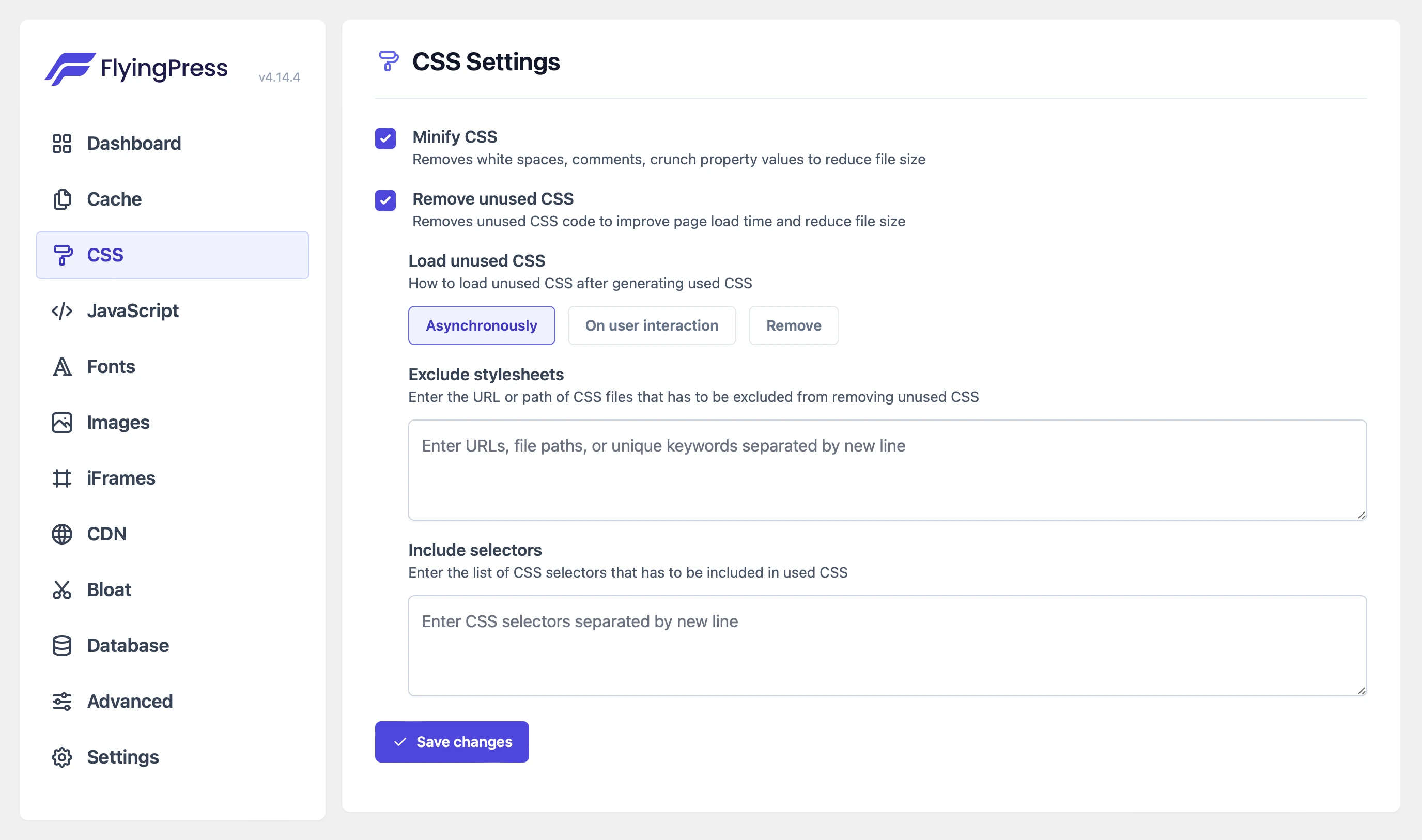
The CSS Optimization tab helps streamline your site’s CSS. The core feature here is Remove Unused CSS, which analyzes your pages and removes unnecessary styles, reducing file sizes and improving load times. Additionally, FlyingPress generates Critical CSS, which ensures the critical styles load first, improving render times and user experience, particularly for mobile users. By minimizing render-blocking CSS, your pages will load faster and be more responsive.
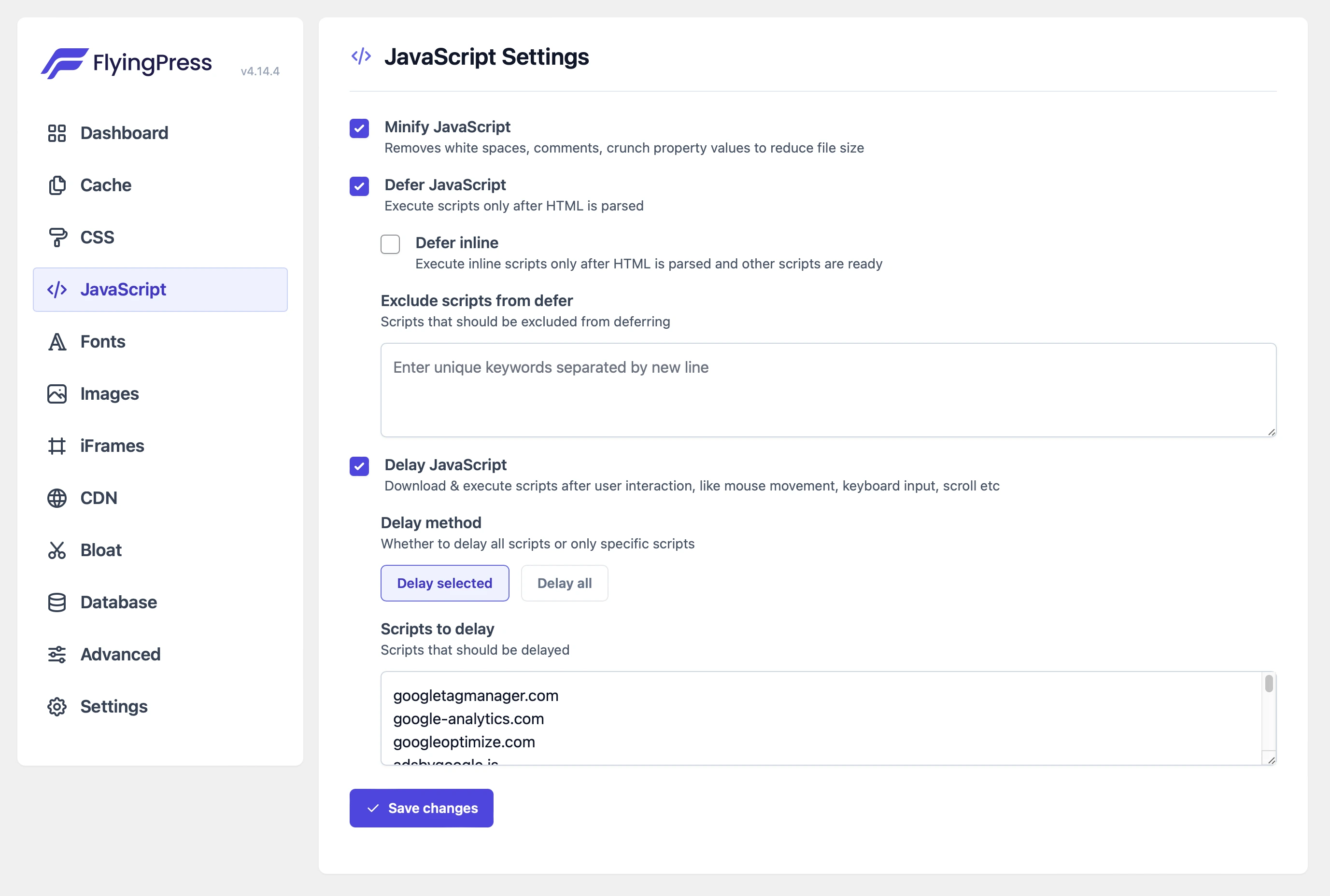
3. JavaScript
The JavaScript Optimization tab provides tools to optimize how your JavaScript loads and executes. Defer JavaScript allows scripts to load only after the HTML has been interpreted, preventing render-blocking. Delay JavaScript enables you to load scripts only when the user interacts with the page improving Core Web Vitals and making the page more interactive.
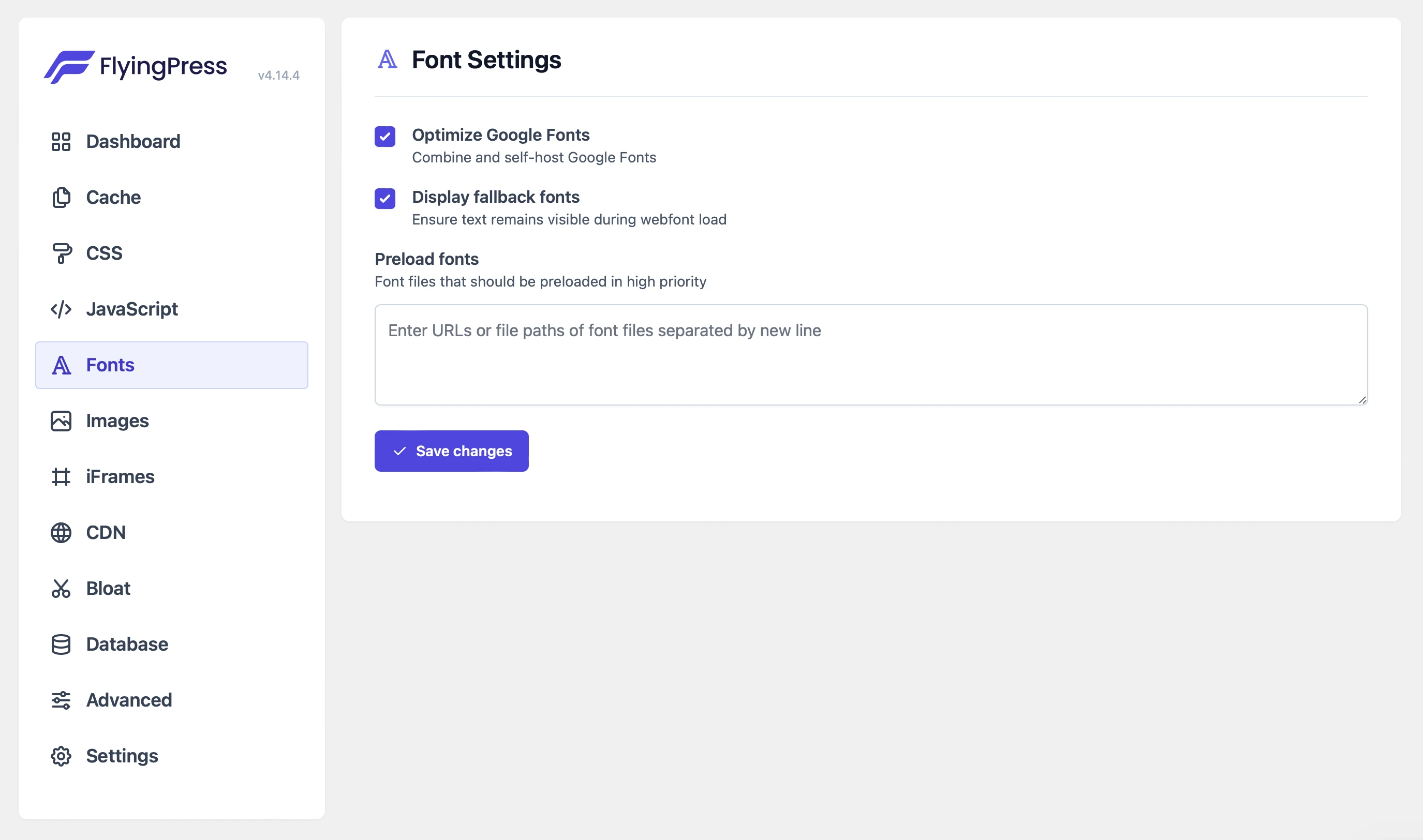
4. Fonts
FlyingPress optimizes font delivery by self-hosting Google Fonts, eliminating external requests and improving load times. Key fonts are preloaded to ensure faster rendering and prevent layout shifts. Additionally, you can manage font display modes to enhance visual stability. These font optimizations improve performance and provide a seamless experience for users, helping to maintain a fast, stable site with minimal layout shifts.
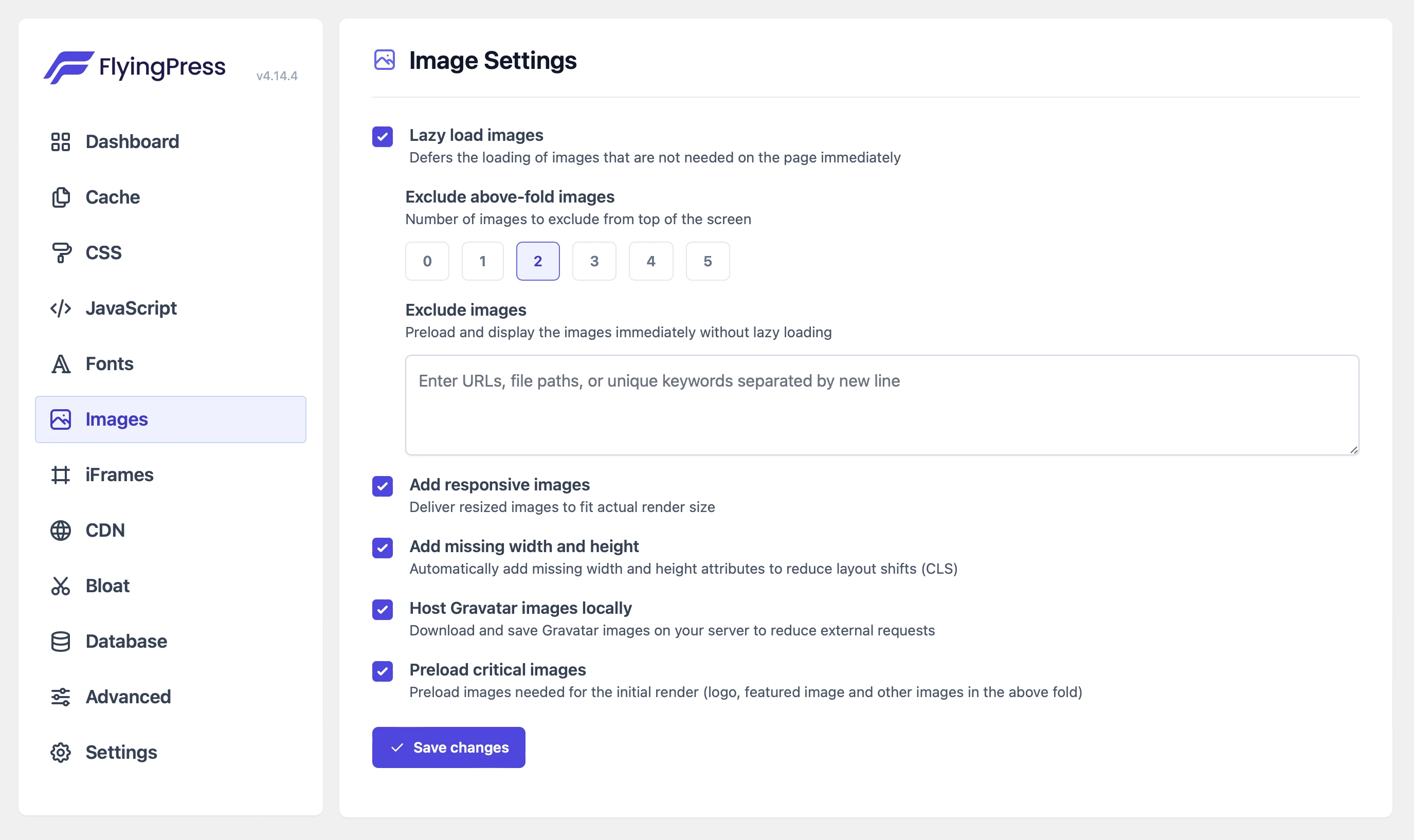
5. Images
The Images tab optimizes image loading with lazy loading, reducing bandwidth usage by only loading images when they’re about to enter the viewport. FlyingPress allows you to exclude above-the-fold images from lazy loading, which is crucial for improving Largest Contentful Paint (LCP) times. Though image compression and resizing are handled by the FlyingCDN add-on, FlyingPress helps by adding missing height and width attributes, which prevent layout shifts and improve the Cumulative Layout Shift (CLS) score, resulting in faster load times and better user experience.
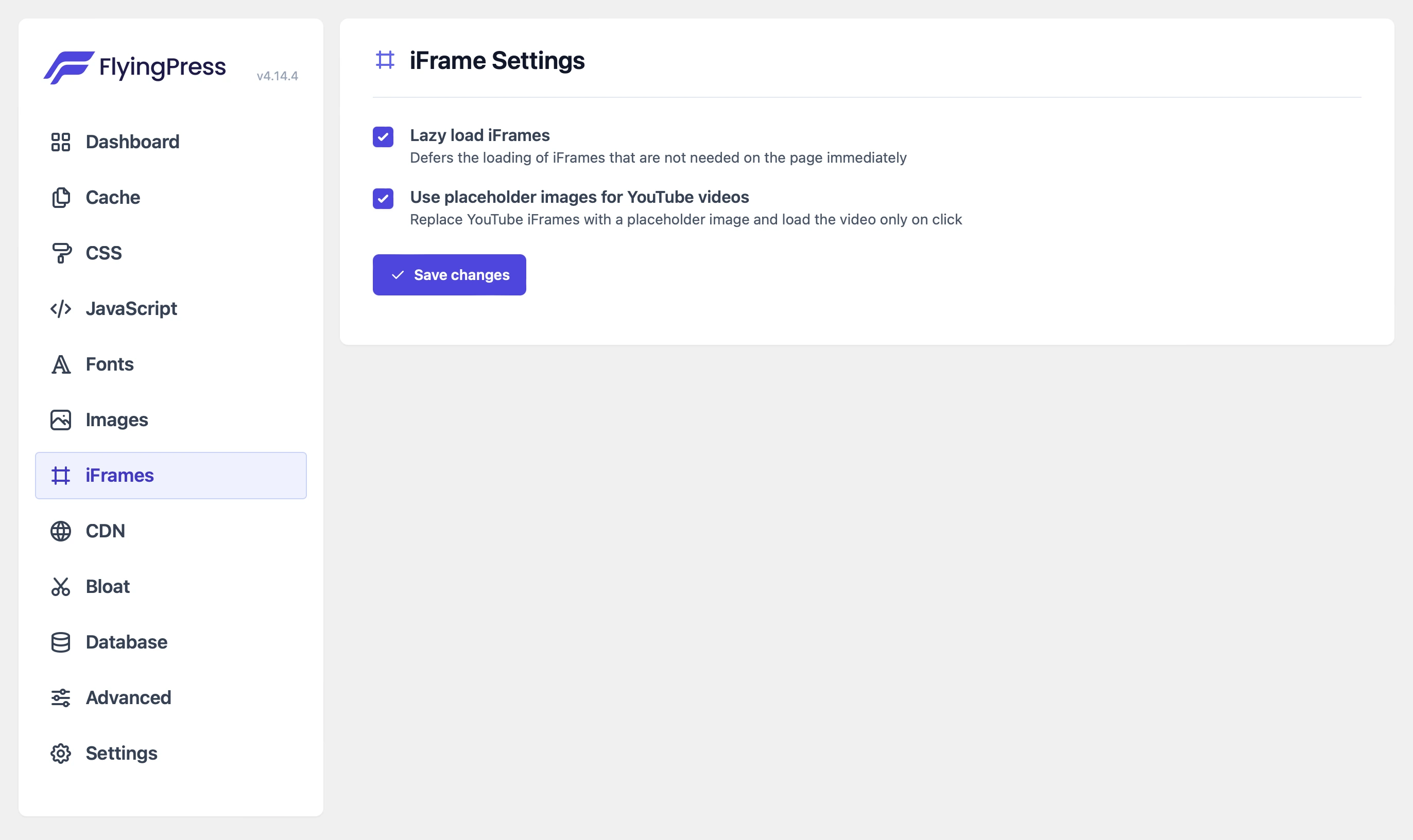
6. IFrames
Deferring embedded content like videos and maps ensures they load only when needed, improving initial page load times. This reduces resource consumption, boosts page speed, and enhances the user experience, especially for slower connections. By prioritizing essential content first, your site becomes more responsive, keeping visitors engaged while delivering rich, interactive media only when it’s relevant.
7. CDN
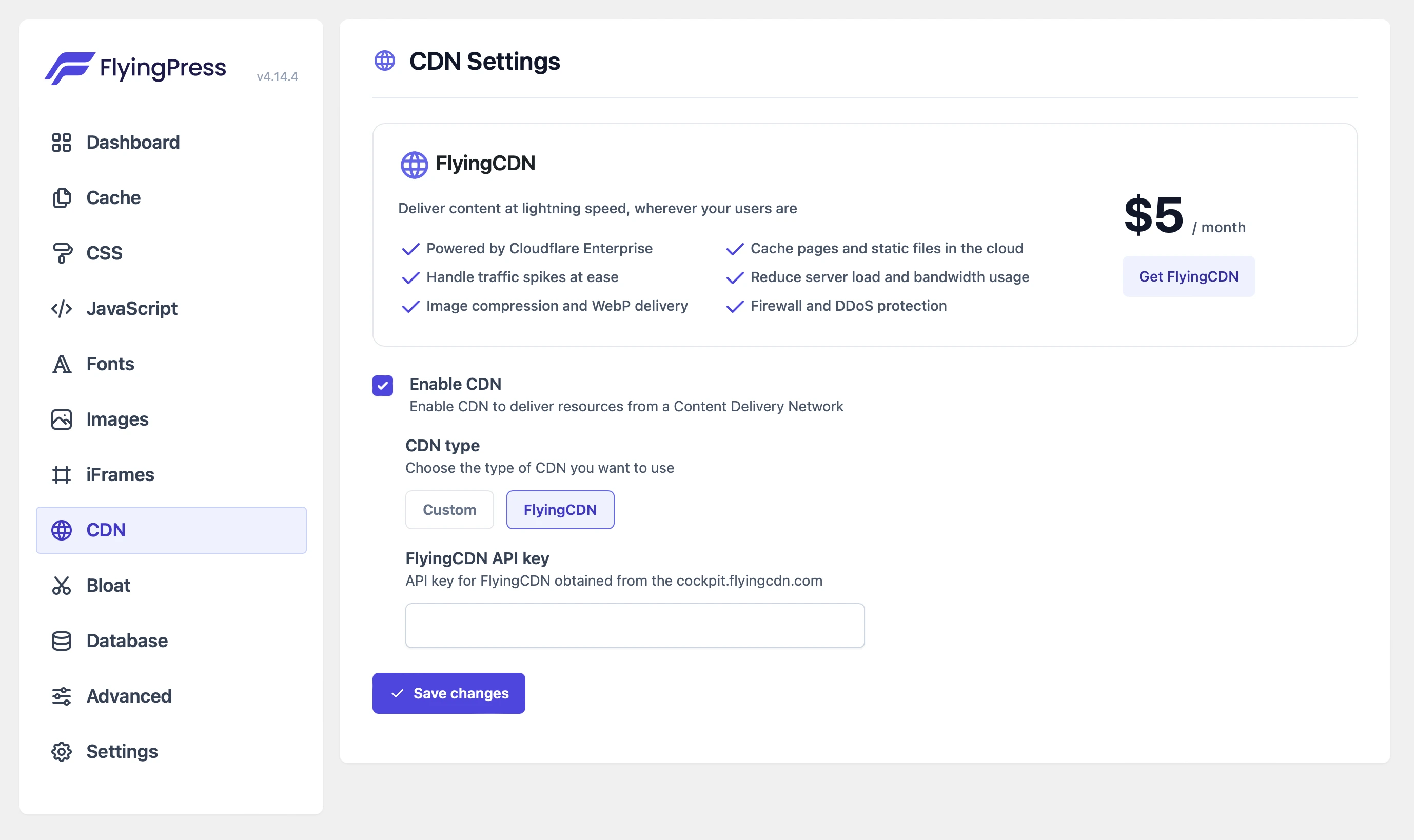
The CDN (Content Delivery Network) tab connects your site to multiple global servers to serve static assets (images, CSS, JavaScript) more efficiently. By reducing the distance between the server and the user, CDNs reduce latency and enhance page load speed. FlyingPress allows you to integrate with any CDN, including FlyingCDN or third-party options like KeyCDN or BunnyCDN, ensuring fast and reliable content delivery regardless of the user’s location, while boosting SEO performance.
8. Bloat
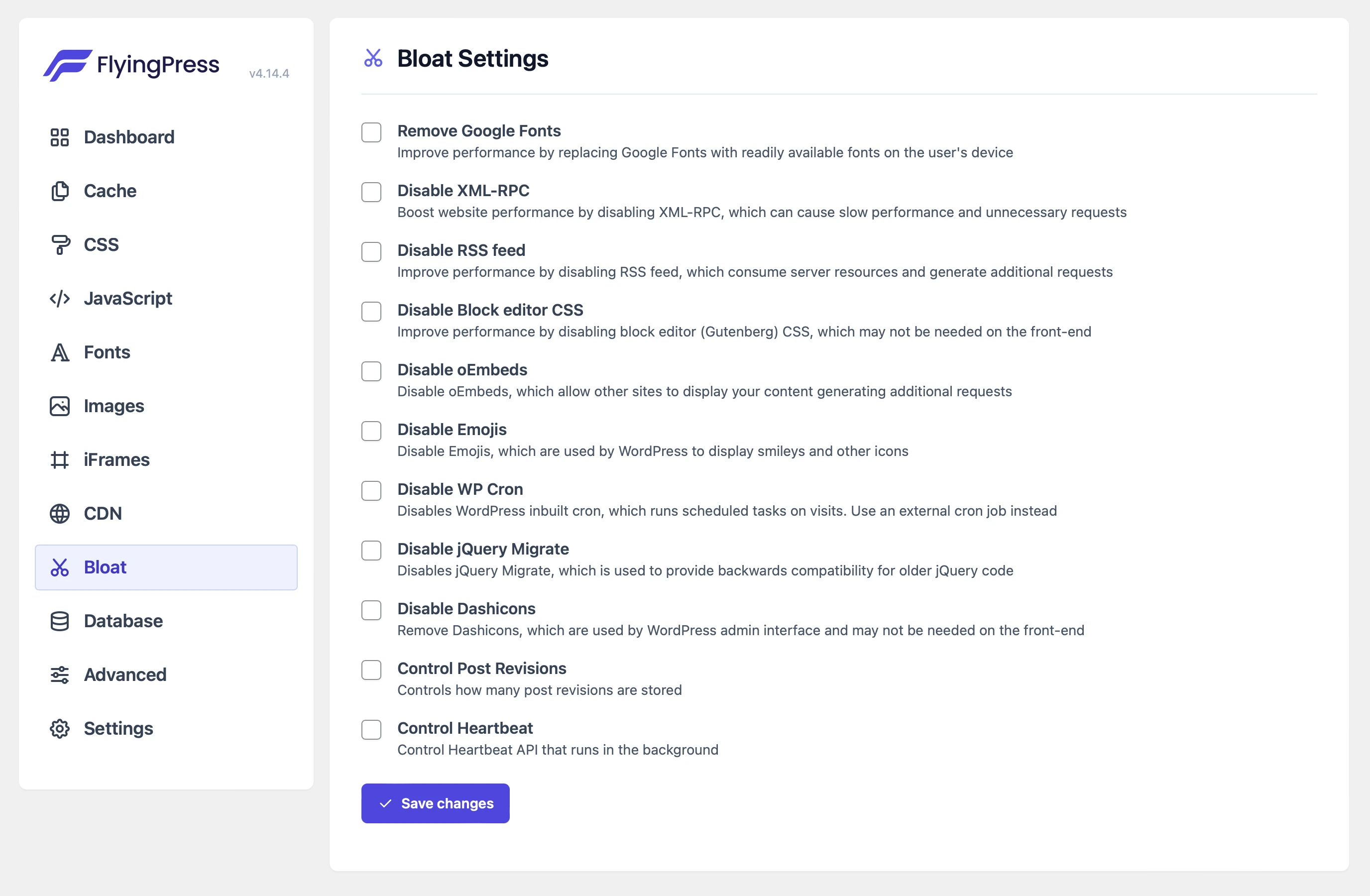
The Bloat tab helps eliminate unnecessary features and scripts from your WordPress site. By disabling non-essential elements such as emoji scripts, embeds, outdated jQuery, and XML-RPC, you can significantly reduce HTTP requests and page bloat. This optimization improves load times, enhances security by disabling unused features, and ensures your site remains lean and fast. Removing these elements keeps your site efficient and more focused on essential content, improving the overall user experience.
9. Database
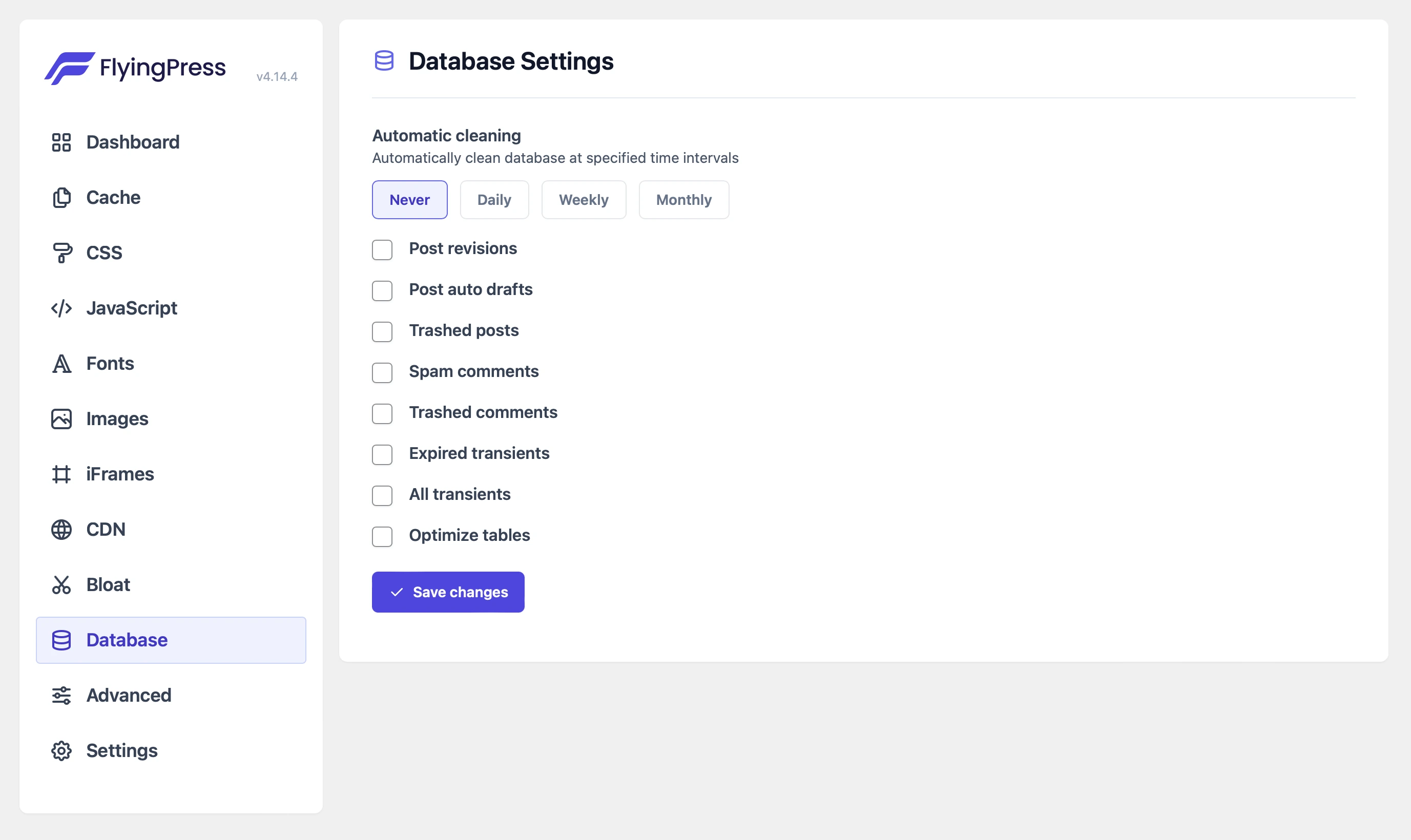
The Database tab allows you to clean and optimize your site’s database by removing outdated data such as post revisions, trashed posts, and expired transients. Regular database cleanup reduces database size, improving performance and speeding up queries. You can either run this manually or schedule automatic cleanups, helping maintain smooth site operation. Optimizing your database ensures quicker access to your content and overall faster site performance.
Pricing
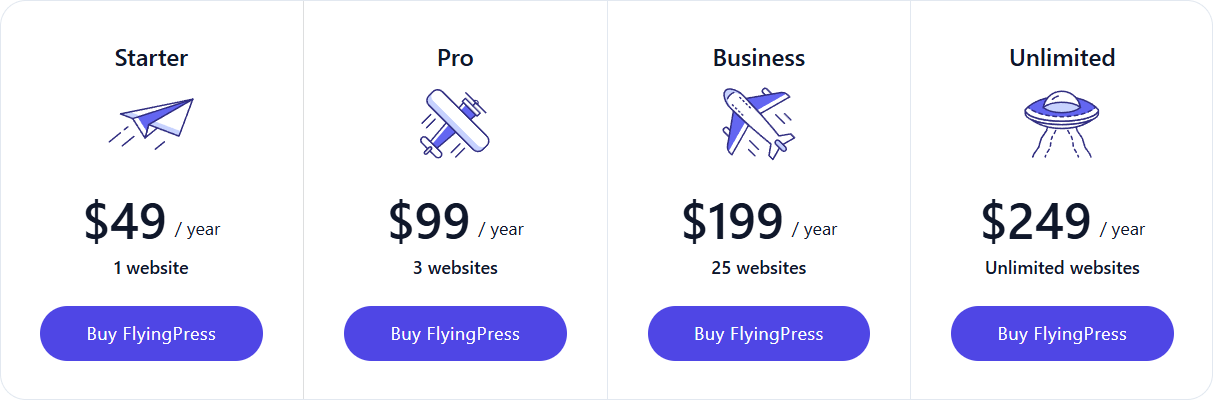
FlyingPress is a premium performance optimization plugin with pricing starting at $49/year for a single site. It offers powerful performance features to enhance website speed and user experience. You can explore the different pricing plans and choose the one that works best for you.
CDN (Optional Add-On)
For even faster global performance, an optional CDN service is available. This CDN is designed to efficiently deliver images, scripts, and static assets from the nearest server location, ensuring reduced load times and improved website speed.
Pricing & Free Trial
- Cost: $5 per 100GB of bandwidth
- Free Trial: 7 days to test performance before committing
- Seamless Integration: Easily activate within the FlyingPress settings for instant improvements
By leveraging FlyingPress CDN, websites can significantly enhance their page speed and Core Web Vitals, especially for users accessing content from different geographical locations.
Key Features to consider
- Page caching: Stores static versions of your pages to reduce server load and speed up content delivery. This ensures visitors experience fast load times, even during high-traffic periods.
- Removed unused CSS: Scans and eliminates unnecessary CSS from stylesheets, reducing file size and improving rendering speed. This helps to prevent render-blocking issues that slow down page load times.
- Preload links: Predictively fetches page content when users hover over links, making navigation feel instant. This feature enhances user experience by reducing perceived load times.
- Postpone script loading: Postpones the loading of non-essential JavaScript files until user interaction occurs. This dramatically improves initial page speed and boosts Core Web Vitals scores.
- Lazyloading: Defers the loading of images, iframes, and videos until they appear in the user’s viewport. This minimizes initial page weight and significantly improves loading speed, especially on content-heavy pages.
- Clean & Compress CSS and JavaScript: You can reduce the CSS and JavaScript files to speed up loading, either through FlyingCDN or straight from the server.
- Load Scripts Without Slowing Down Your Site: Delay non-essential scripts to load your websites more quickly, without getting blocked.
- Clean and Speed Up Your Database Automatically: With the help of automated cleanup, FlyingPress removes clutter from your database and keeps it optimized.
- Faster Google Fonts with Smart Loading: The feature allows you to preload fonts, combine multiple font queries, and host fonts locally. You can also set fallback fonts for faster display.
- Load Important Elements First: It makes sure that key components of your website, such as the important images and fonts, load before anything else to maintain a seamless user experience.
- Fix Sudden Page Jumps During Loading: Prevent content from jumping around by adding proper width and height to images before they load.
Pros and Cons to Consider
Pros
- Comprehensive speed optimization features
- Easy-to-use interface with clear settings
- Effective cache handling and lazy loading
- Excellent for improving Core Web Vitals
- Works well with WooCommerce and other plugins
- Great documentation and support
Cons
- Premium only no free version available
- Requires careful setup for optimal performance
- Might require some testing and tweaking to find the optimal configuration for specific websites.
Performance & Optimization Insights
- The plugin is designed to improve WordPress performance by reducing page load times.
- While it should generally improve speed, incorrect configurations could lead to minor slowdowns.
- Recommendation: Use FlyingPress in combination with a good hosting provider and optimized images for the best results.
- It improves Core Web Vitals by reducing render-blocking resources and enhancing server response times.
- Works best when combined with a Content Delivery Network (CDN)
- Avoid over-optimizing settings, as it can break functionality in some themes/plugins.
FlyingPress Use Cases: Optimizing Performance for Different Needs
- Bloggers & Content Creators: Helps bloggers and content creators improve site speed by optimizing page caching, lazy loading images, and minimizing unused scripts. A faster website enhances user engagement, reduces bounce rates, and improves search engine rankings.
- eCommerce Stores (WooCommerce): WooCommerce stores benefit from it by reducing load times for product pages and optimizing cart performance. Faster page speeds lead to a better shopping experience, lower cart abandonment rates, and improved conversion rates.
- Business & Agency Websites: For businesses and agencies, FlyingPress ensures professional websites load quickly and efficiently, creating a smooth user experience. A well-optimized website enhances credibility, boosts SEO rankings, and keeps potential clients engaged.
- High-Traffic Websites: The plugin is perfectly designed to handle large volumes of visitors by optimizing caching, deferring scripts, and reducing server load. This ensures consistent performance and stability even during traffic spikes, preventing slowdowns or crashes.
Alternatives to the FlyingPress Plugin
- WP Rocket: A comprehensive caching plugin with a wide range of features (often considered a more complex alternative).
- LiteSpeed Cache: A server-level caching solution (best suited for sites hosted on LiteSpeed servers).
- W3 Total Cache: A free plugin with a wide range of caching options (can be more technical to configure).
Final Thoughts & Recommendations on our FlyingPress Review
If your WordPress site is slow, performance optimization should be a priority. FlyingPress simplifies this with a mix of automation and customization, offering quick speed improvements upon installation while also providing advanced settings for deeper optimization. Ideal for bloggers, businesses, and eCommerce owners, it enhances user experience and SEO without requiring technical expertise. While free alternatives exist, they often need multiple plugins and manual setups to match FlyingPress’s efficiency. If you value ease of use and effective performance, the plugin is worth considering.
Download now and learn more
Get the FlyingPress plugin today and supercharge your website speed! Visit FlyingPress to download and learn more.

Leave a Reply
Articles
Related Insights.
Blogs and Resources on WordPress, WooCommerce, SEO and Marketing

Leave a
Comment.