
SEOPress Pro Reviewed: How It Streamlines WordPress SEO
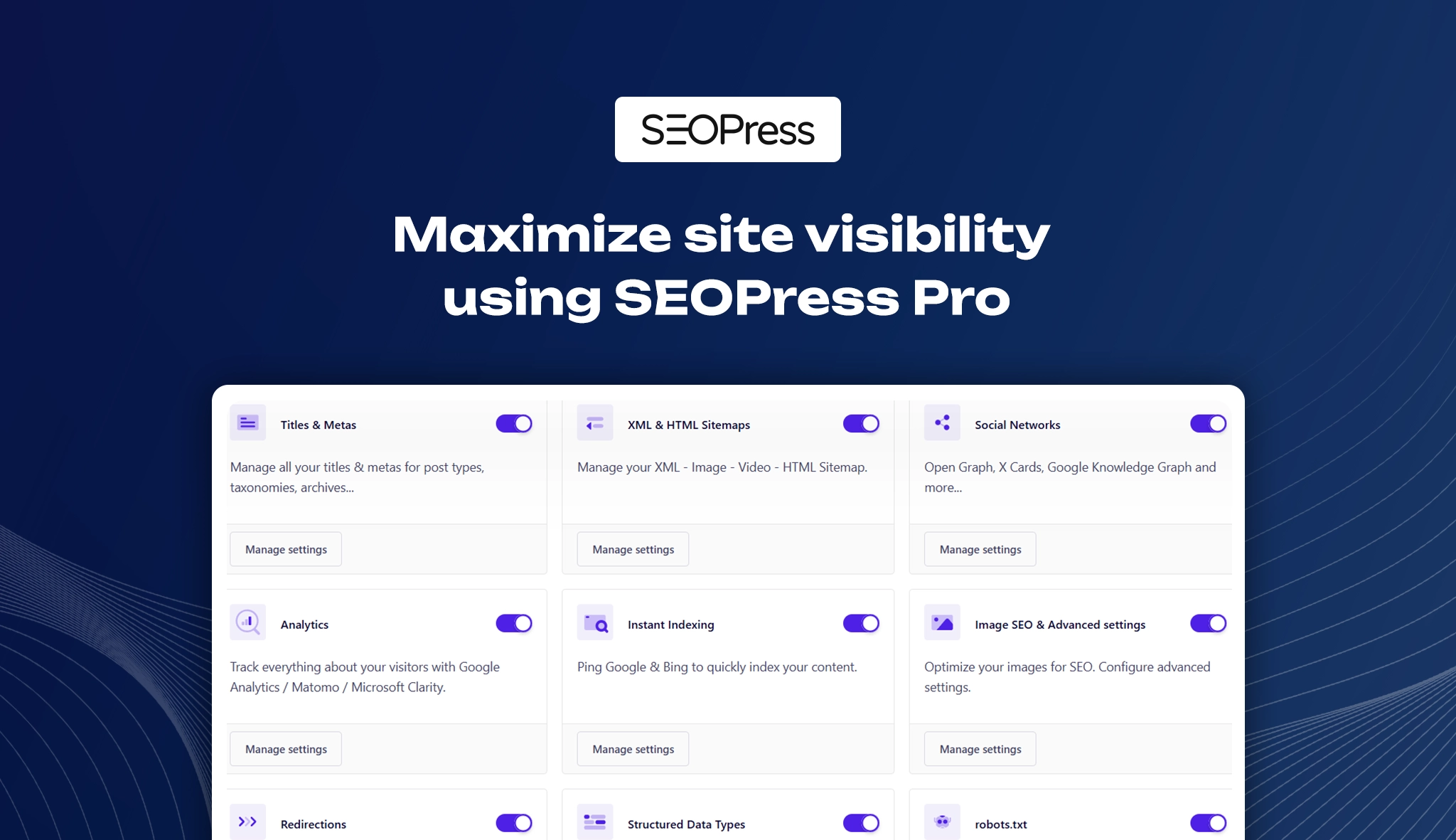
Search engine visibility is essential for any business wanting to expand digitally. SEOPress makes it easier as it is one of the popular choices of beginners and budget-conscious users because of its strong free edition, which already has good on-page SEO features. But SEOPress Pro is the real game changer, offering even more advanced features and deeper integrations. This premium version is ideal for professional website owners, agencies, and online retailers who want to dominate search engine rankings without using numerous plugins, as it provides strong features that support every business need.
Plugin Compatibility Overview
- Plugin Name: SEOPress PRO
- Category: SEO
- Compatibility: The following versions are recommended for best results: PHP versions 7.4 to 8.4, MySQL version 5.6 or higher, MariaDB 10.0 or higher, and WordPress version 5.0 or above
- Pricing: $49 for pricing, including 5 sites and one year of updates.
- Active Installations: 200,00+ active installations
- Ratings & Reviews: 4.8 out of 5 stars from more than 1100 user reviews.
Dashboard Interface Explained
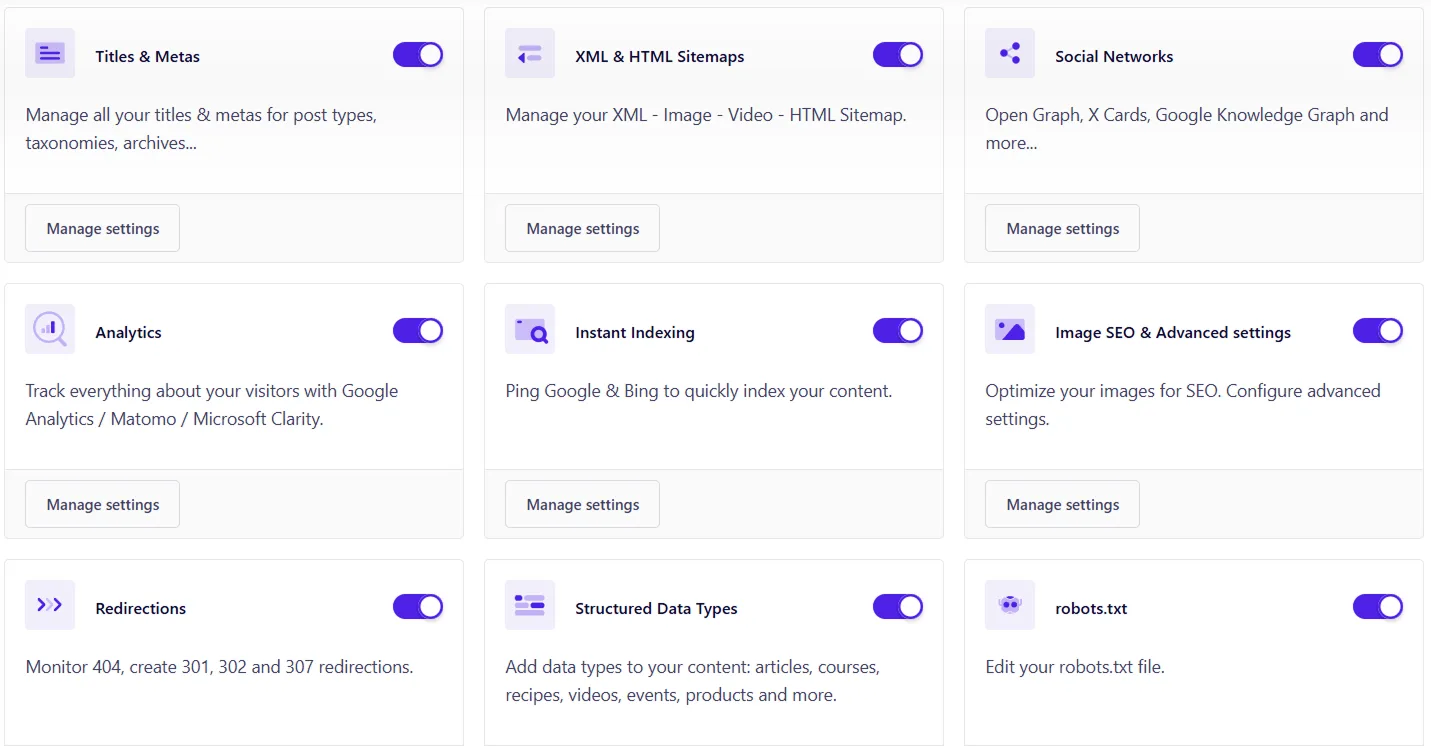
1. Title & Metas
Title & Metas manages and modifies how your page titles and descriptions appear in search results. You can set global rules for certain post types, guaranteeing consistent branding across your websites and increased click-through rates.
2. XML & HTML Sitemaps
The XML & HTML sitemaps settings generate and control both XML and HTML sitemaps, helping search engines crawl your website more efficiently. It allows you to choose which content types to include and keeps search engines updated about your content.
3. Social Networks
The social network feature gives you effective control over how your content appears when shared on social platforms like Twitter and Facebook. It allows adding Open Graph and Twitter card tags for better previews, leading to improved engagement and link previews on social media.
4. Analytics
This feature allows you to easily connect with Google Analytics to track website performance directly from the plugin dashboard and provides insights into visitors, traffic sources, and user behavior with the support of enhanced eCommerce tracking for WooCommerce.
5. Instant Indexing
Instant indexing allows you to submit URLs instantly to search engines like Bing and Google through their APIs. This guarantees faster indexing of your content, and it’s very useful for time-sensitive updates or posts.
6. Image SEO and Advanced Settings
These features automatically optimize image attributes like the title and ALT tags, enhancing both image SEO and accessibility, and provide control over advanced SEO guidelines like canonical URLs and noindex settings.
7. Redirections
The redirection settings allow you to set up various redirects, such as 301, 302, and 307, from within the dashboard, and it’s helpful in avoiding broken links when pages move and preserving the SEO value.
8. Structured Data Types
Add rich structured data (schemas) to your site using different content types like articles, products, or reviews. This improves your visibility in search results. No coding is required, and it supports Google’s schema guidelines.
9. robots.txt
The robots.txt file offers an effective way to manage your site’s crawl budget by allowing you to control which parts of your website search engine bots can or cannot access.
10. .htaccess
The .htaccess feature allows the option to directly modify the .htaccess file to manage redirects, improve security, and boost performance. Changes are made with the help of a user-friendly interface, as it helps in advanced server-level optimizations without accessing FTP.
11. Local Business
Local business settings allow you to add structured data to showcase your local business information, like name, address, phone number, and opening hours. This suits businesses targeting regional audiences, as it helps in improving local SEO and appearances in Google’s local results.
12. AI
Use AI-powered suggestions for writing titles and meta descriptions. It saves time while optimizing content for better visibility. Great for beginners who need quick SEO content ideas.
13. Breadcrumbs
The breadcrumb settings allow you to customize breadcrumb navigation on your site according to your needs, improve user experience, and help search engines understand site structure.
14. WooCommerce
The WooCommerce settings are dedicated to WooCommerce stores as they optimize product pages and categories and also customize titles, descriptions, and schemas that are specific to e-commerce, and the feature plays a huge role in improving product visibility and conversions.
15. Easy Digital Downloads
Easy Digital Downloads settings are specifically designed to enhance SEO settings for digital product stores using EDD. They also provide options to customize metadata and schema for better search results.
16. Google Page Speed
Google Page Speed Insights offers the option to analyse website performance and identify issues relating to performance, and gives suggestions for improvements.
17. Google Search Console
This feature connects to and monitors your site’s presence in Google Search Console and provides data on issues relating to indexing and search performance.
18. Google News Sitemap
The feature provides the option to create a dedicated sitemap for Google News for submitting news content efficiently, as it increases the chances of appearing in Google News if you are running a publisher or media website.
19. SEO Alerts
The plugin runs a complete SEO audit of websites to find critical issues and areas for improvement.
20. Dublin Core
Dublin Core metadata is used to provide extra descriptive information about contents, even though it’s not commonly used, but it adds another layer of structure, and it’s highly helpful for specific academic or library indexing systems.
21. RSS
Customize your RSS feed content by adding backlinks or metadata. Useful for distributing content across platforms and avoiding scraping issues. Drives visitor traffic from feed readers to your website.
22. Tools
The tools section allows you to import/export SEO settings, reset modules, and manage third-party integrations, and the feature is quite handy for developers or agencies managing multiple sites.
23. License
The licence section is dedicated to managing and activating the SEOPress Pro licence and helps in keeping your plugin secure and up to date.
Pricing
The plugin offers competitive pricing designed to deliver value for your SEO investment. To view the latest pricing information, visit the plugin pricing page.
Features to Look Forward To
Advanced Meta Management
The advanced meta management includes features such as OpenAI and Dublin Core meta tags. The OpenAI integration automatically generates SEO titles and meta descriptions alongside Dublin Core meta tags, improving content classification. This feature provides you with more intelligent and organized metadata for improved search exposure.
E-Commerce SEO Support
Provides powerful SEO tools for your online store that support both Easy Digital Downloads and WooCommerce. Customizing metadata makes it easier to optimize product pages, maximize search exposure, and increase traffic. Tailor every element, from category pages to titles and descriptions, to expand your customer base and increase conversions.
Crawling & Indexing Control
The Crawling and Indexing option gives you complete control over how your website is crawled and indexed by search engines. It allows you to customize your .htaccess file for improved site security and optimized redirects, and also makes it easy to modify your robots.txt file to direct search crawlers on which pages to crawl or omit. This helps in better website performance by preventing irrelevant pages from appearing in search results and making sure that valuable content is properly indexed.
RSS Feed Management
Enhance the RSS feeds on your website by modifying and improving them for better SEO and content distribution. You can easily add more metadata, control what appears in your RSS feed, and use syndication to make sure that your content reaches wider audiences. With improved RSS management, you can increase your site’s visibility and maintain greater control over how your content is shared across the web.
Comprehensive Sitemap Management
The feature provides access to advanced sitemap solutions to improve the indexation and search engine visibility of your website. Create sitemaps in both HTML and XML for easier user and search engine navigation. Additionally, it provides the option to create specialized video and news sitemaps to ensure your multimedia and timely content are properly indexed and featured in relevant search results, boosting your overall SEO performance.
Breadcrumb Navigation
The breadcrumbs feature lets you implement custom breadcrumb navigation to improve both user experience and search engine visibility. Breadcrumbs boost user experience and assist search engines in understanding your website’s hierarchy by clearly exhibiting your site’s structure.
Advanced Redirection Management
Manages all redirects, including 301, 302, 410, and 451, to maintain SEO value and guarantee a seamless custom experience. Use regular expressions to maintain site integrity and boost SEO performance, enable automatic redirects for effortless URL management, and apply conditional redirects based on unique scenarios.
Google Structured Data (Schemas)
The structured data types (schemas) feature offers a variety of Google structured data types (schemas) to enhance your website’s search listings with rich snippets. You can improve your site’s visibility in search results, boost click-through rates, and help search engines understand your content by adding the relevant structured markups, such as events, products, articles, reviews, and more.
Image SEO Optimization
The simplified image SEO feature automatically generates descriptive alt texts using advanced OpenAI technology. This helps in improving the overall SEO performance of your website by guaranteeing that your images are properly tagged for better accessibility and search engine indexing.
In-Depth SEO Analysis
The in-depth SEO analysis feature provides essential tools to monitor and enhance your website’s SEO performance. It integrates Google Analytics Enhanced Ecommerce to track ecommerce performance, Google Optimize to execute A/B testing, and Google Suggest to generate keyword ideas. Seamlessly connect to Google Search Console and assess site speed with Google PageSpeed and examine specific URLs for getting internal linking suggestions to enhance site structure and rankings.
Seamless Integrations
The plugin offers smooth integration with leading analytics tools to enhance your SEO and provides the option to access Google Analytics and Matomo Analytics stats right within the WordPress dashboard without switching tabs. Additionally, integration with Google News makes it easy to reach a wider audience by increasing its prominence in news search results.
Full SEO Control & Monitoring
Offers full SEO control with the right tools to maintain the SEO health of websites. It runs detailed site audits to find areas of improvement, finds broken links leading to the worst user experience, and keeps an eye on 404 errors and provides you with proactive SEO alerts that let you know about important issues that need your immediate attention.
Pros & Cons
Pros
- Fully packed with premium seo tools in a single plugin
- Lightweight and designed for optimized performance
- Highly helpful for developers with many hooks and filters
Cons
- A free version is not available for testing the pro features
- Some advanced users may prefer more detailed schema control than Seopress
Insights into Performance and Optimization
The plugin is built by prioritizing performance, as it means only the features you enabled will be loaded, which speeds up pages and lowers server load, along with tools for evaluating site performance and finding problems that impact rankings. For better outcomes, enabling only the modules you actively use is recommended.
Use Case Recommendations
- Agencies focusing on performance, branding, and client satisfaction.
- eCommerce stores that need seamless WooCommerce integration for improved product seo and rich search results.
- Local businesses that want to take advantage of local SEO features, such as business schema and map integrations, to improve their local search appearances.
- Bloggers who need a simple interface to manage their blog posts and effectively track keywords.
Alternative Plugins to Consider
- Yoast SEO: Yoast SEO is distinguished for its real-time content analysis and intuitive interface. However, it is less cost-effective, and most of the premium capabilities are locked in higher pricing plans.
- Rank Math: Rank Math offers some of the most advanced range of features within its free version, but the interface can become overwhelming for some beginners.
- AIOSEO: AIOSEO is user-friendly for beginners and offers strong core features, but the features are spread across various price levels.
Final Thoughts & Suggestions
SEOPress PRO is an excellent choice for WordPress users who want to access advanced SEO features without being restricted to expensive subscription packages. It is effective, user-friendly, and packed with features that will scale with your business needs. The plugin is worth considering if you want to scale your business digitally with an all-in-one SEO plugin that provides every advanced feature through a single package.
Download and Explore
Ready to boost your rankings? SEOPress Pro makes it easy to optimize, manage, and grow—right from your dashboard.
Get started today and explore the difference.

Leave a Reply
Articles
Related Insights.
Blogs and Resources on WordPress, WooCommerce, SEO and Marketing

Leave a
Comment.