
Skyro WooCommerce Checkout Plugin Review: Customize & Optimize Your Store’s Checkout
Optimizing the checkout process is essential for enhancing the shopping experience and reducing cart abandonment rates in today’s highly competitive e-commerce landscape. The Skyro WooCommerce Checkout plugin by ThemeHigh addresses this challenge with both free and pro versions, offering users a fully customizable, streamlined checkout experience. The pro version unlocks advanced features such as additional checkout templates, Thank You page customization, live analytics, and A/B testing, further boosting conversion rates and customer satisfaction. With easy customization and seamless integration, Skyro ensures your checkout process not only reflects your brand but also delivers a smooth and efficient purchasing journey.
Key Compatibility & Performance Stats
- Plugin Name: Skyro WooCommerce Checkout
- Category: eCommerce, Checkout Optimization
- Compatibility: Fully tested with WordPress 6.7 and WooCommerce 9.7, and requires PHP version 7.4 or above for optimal performance.
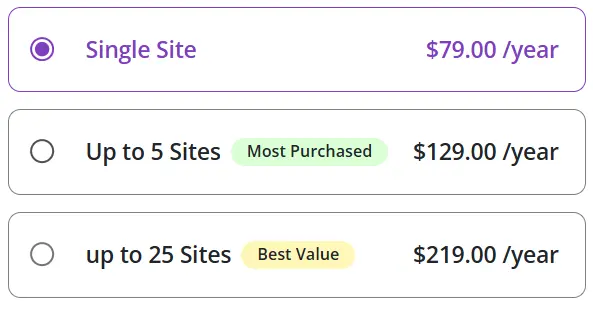
- Pricing: premium pricing starting from $79/year for a single site
Dashboard overview
The Skyro WooCommerce checkout plugin dashboard gives a simple, user-friendly interface to manage WooCommerce checkout templates. Users can quickly navigate between premade single-step templates like Credence and Lucid or access their own saved designs. Customizing checkout experiences is made easier with this simplified structure.
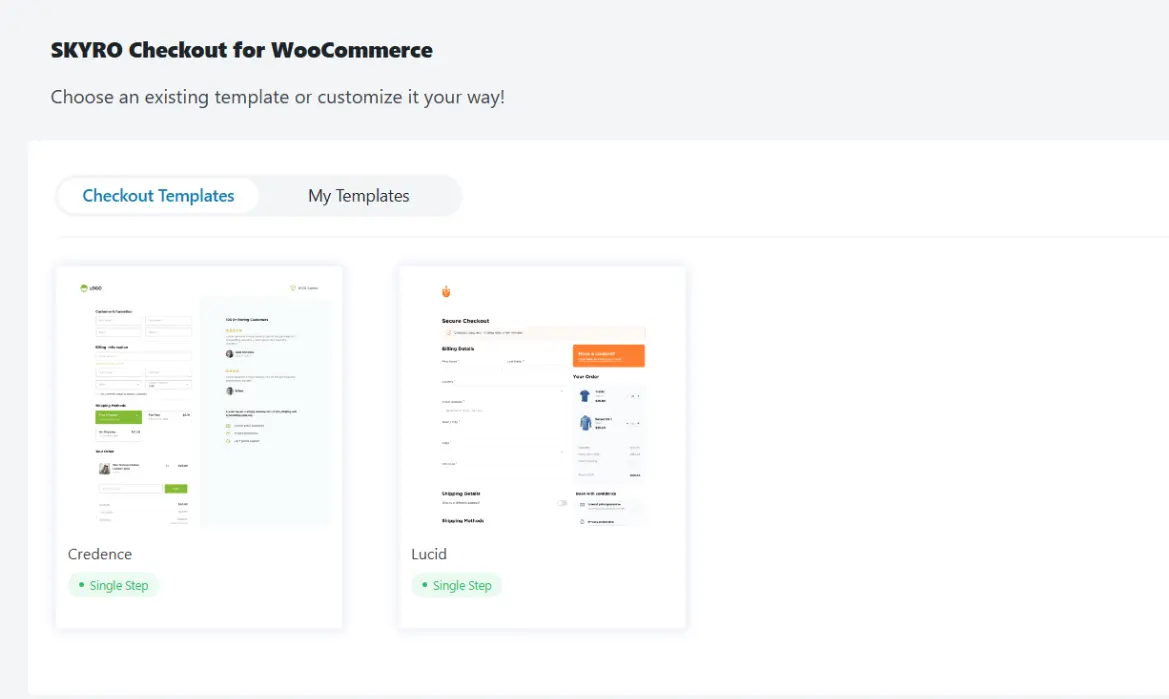
The following are the various settings available when you select the ‘Credence’ checkout template, which is available by default
General Settings
The General settings tab of the Skyro WooCommerce checkout plugin offers essential design controls for customizing your checkout page. You can choose a primary color, options to change two background colors, and select your preferred font family that suits your brand style. Additionally, it includes padding settings that support both individual and uniform configurations. Users can preview their changes in real time through a live front-end preview.

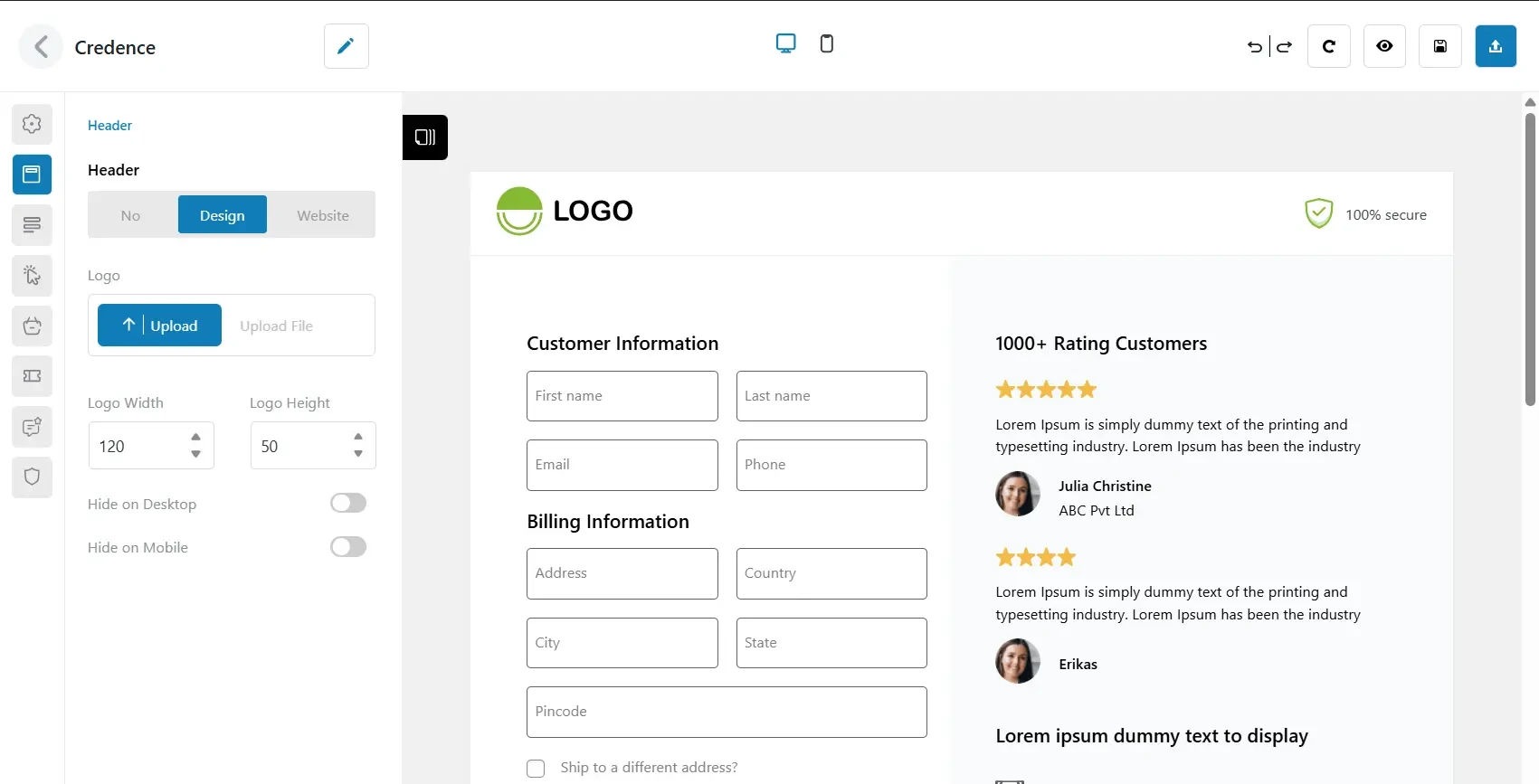
Header Settings
The header settings allow you to customize the top part of the checkout page. You can control its visibility on desktop and mobile devices. You can upload a custom logo and adjust its width and height to suit your design. The option to either customize the header or inherit it from your website allows you to seamlessly align it with your store’s identity.
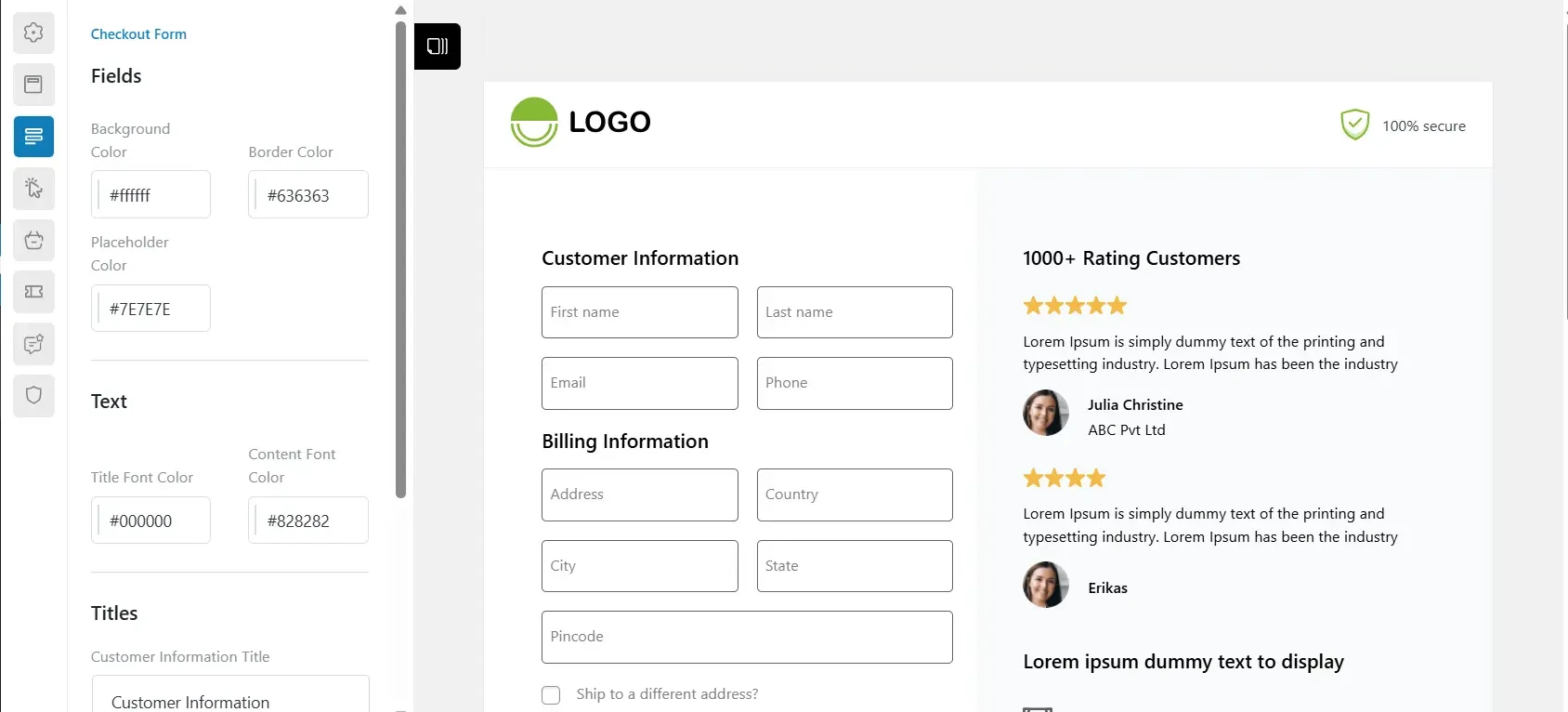
Checkout Form settings
The checkout form settings offer various customizable choices for improving the appearance of checkout fields and provide you with the option to change the input fields’ background, border, and placeholder colors. Additionally, you can customize text styles by setting the font colors for titles and content separately. It offers customization options for field names like ‘Customer Information’ and ‘Billing Information,’ enhancing form usability and better aligning with your brand.
Button Settings
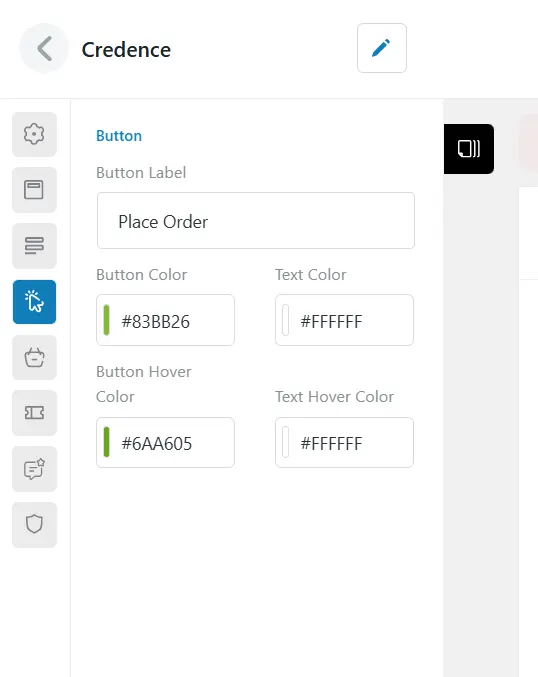
The button settings allow the option to fully customize the appearance of the checkout button according to your branding requirements. You can alter the text on the button label (for example, “Place Order) and select different colors for the text and button background. Hover effects can also be customized, giving you the ability to specify different hover backgrounds and hover text colors for a responsive and engaging user experience. These settings guarantee that the checkout button complements your store’s design.
Order Summary
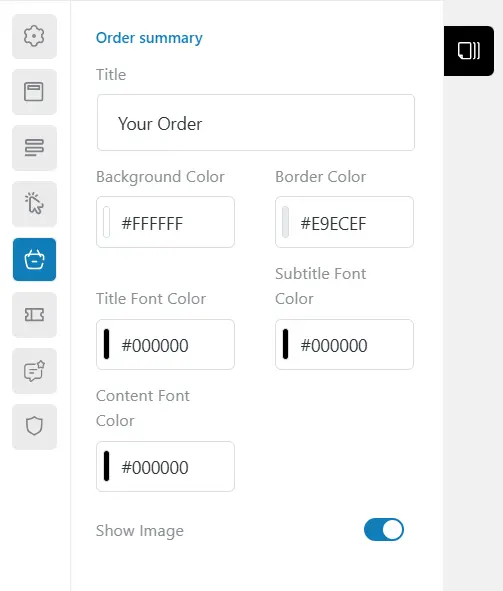
The Order Summary settings allow you to personalize the appearance of the “Your Order” section on the checkout page. You can set a custom title, choose a background color, and define a border color to visually distinguish the section. Additionally, the plugin provides separate options for customizing font colors for the title, subtitle, and content, ensuring consistency with your store’s branding. The Show Image toggle gives you the flexibility to enable or disable product images within the order summary, enhancing the user experience with a visual confirmation of their purchase.
Coupon customization
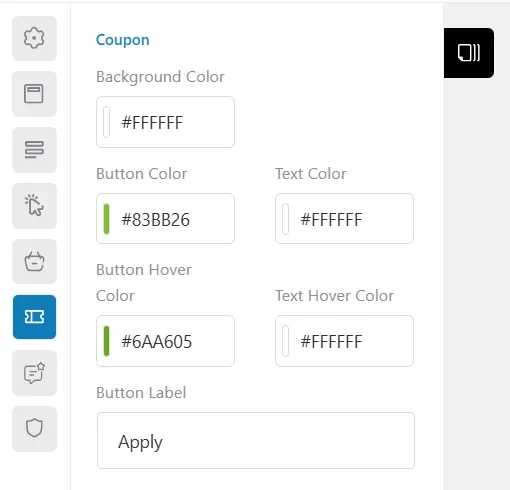
The coupon customization settings allow you to design the look and feel of the coupon field on the checkout page. You can configure the background color, button color, and text color to match your site’s branding. Additionally, the plugin offers customization for hover states, letting you define both button hover color and text hover color for a polished, interactive experience. You can also personalize the button label (e.g., “Apply”) to align with your preferred terminology or language, making the coupon functionality more intuitive for your customers.
Testimonials
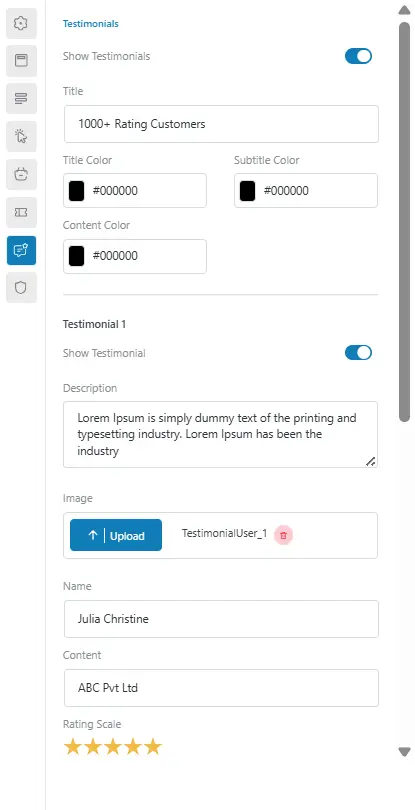
The Testimonials settings in the Skyro WooCommerce Checkout plugin let you showcase customer feedback on the checkout page with customizable options. You can toggle the section on/off, set a custom title, and adjust title, subtitle, and content colors. Each testimonial includes fields for a profile image, name, description, additional content (like company or role), and a star rating. This helps boost trust and credibility during the final purchase step.
Trust Factors
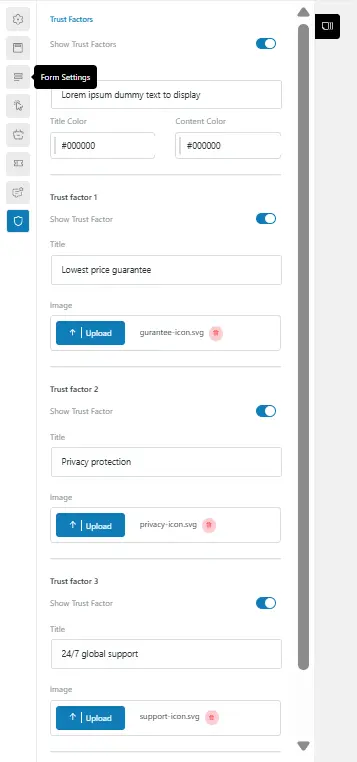
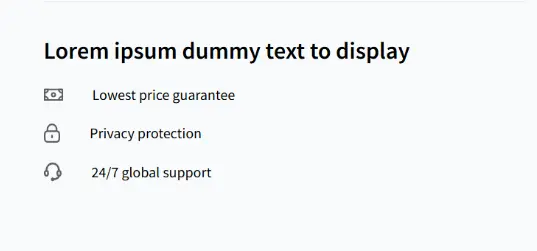
The Trust Factors settings allow you to highlight key assurance points that build customer confidence during checkout. You can enable or disable the section, set a custom title, and customize the title and content colors. The three trust factors can be toggled individually, with options to add a title and upload an icon. Examples like “Lowest price guarantee,” “Privacy protection,” and “24/7 global support” help enhance credibility and reduce cart abandonment.
The image below highlights how the three key trust factors—Lowest Price Guarantee, Privacy Protection, and 24/7 Customer Support—are visually emphasized to reassure customers and build confidence during checkout.
My Templates
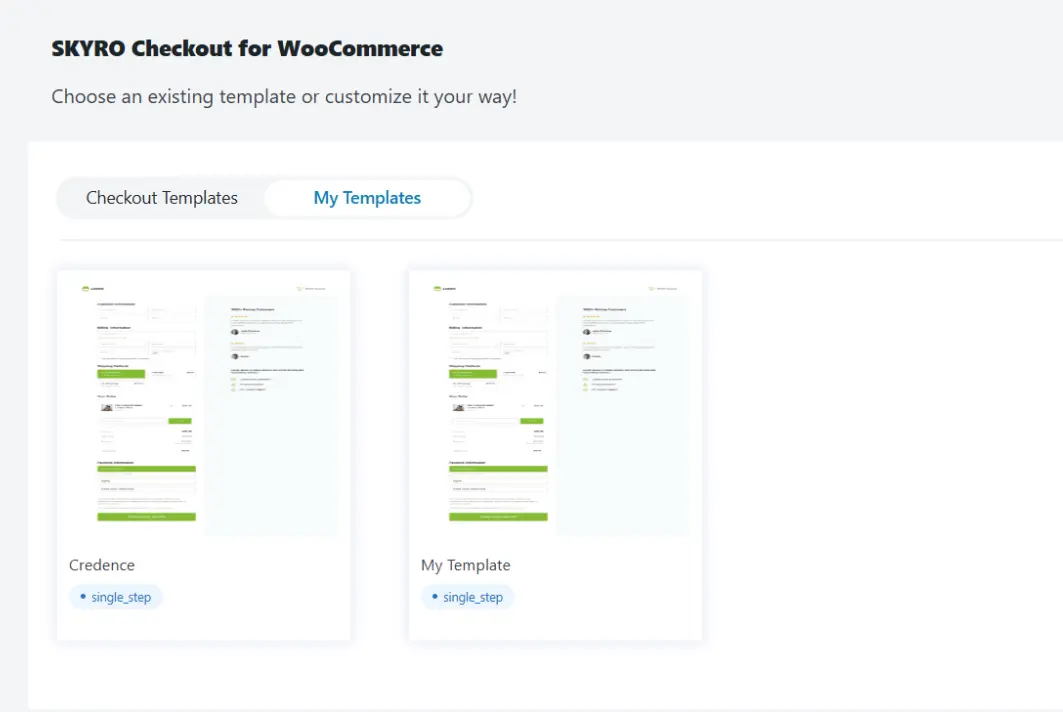
The “My Templates” section is a standout feature, offering a user-friendly way to manage custom checkout designs. The ability to activate and preview templates directly from the dashboard simplifies the process of tailoring the checkout experience. The single-step layout ensures a smooth and efficient process for customers.
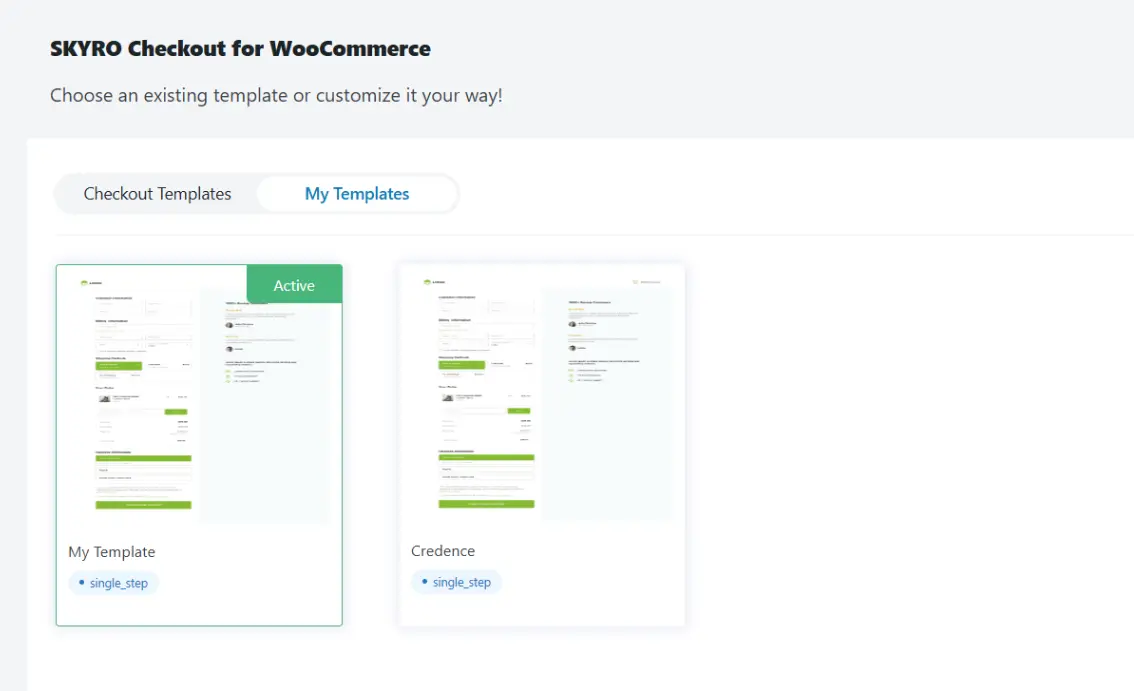
The image below illustrates how “My Template” is currently set as the active template, as indicated by the “Active” badge. It is shown alongside the “Credence” template. Both templates follow a single-step layout, designed to create a streamlined and efficient checkout process. The interface offers a clear and user-friendly overview, making it easy to select and activate the preferred template for an optimized checkout experience.
Brand Assets settings
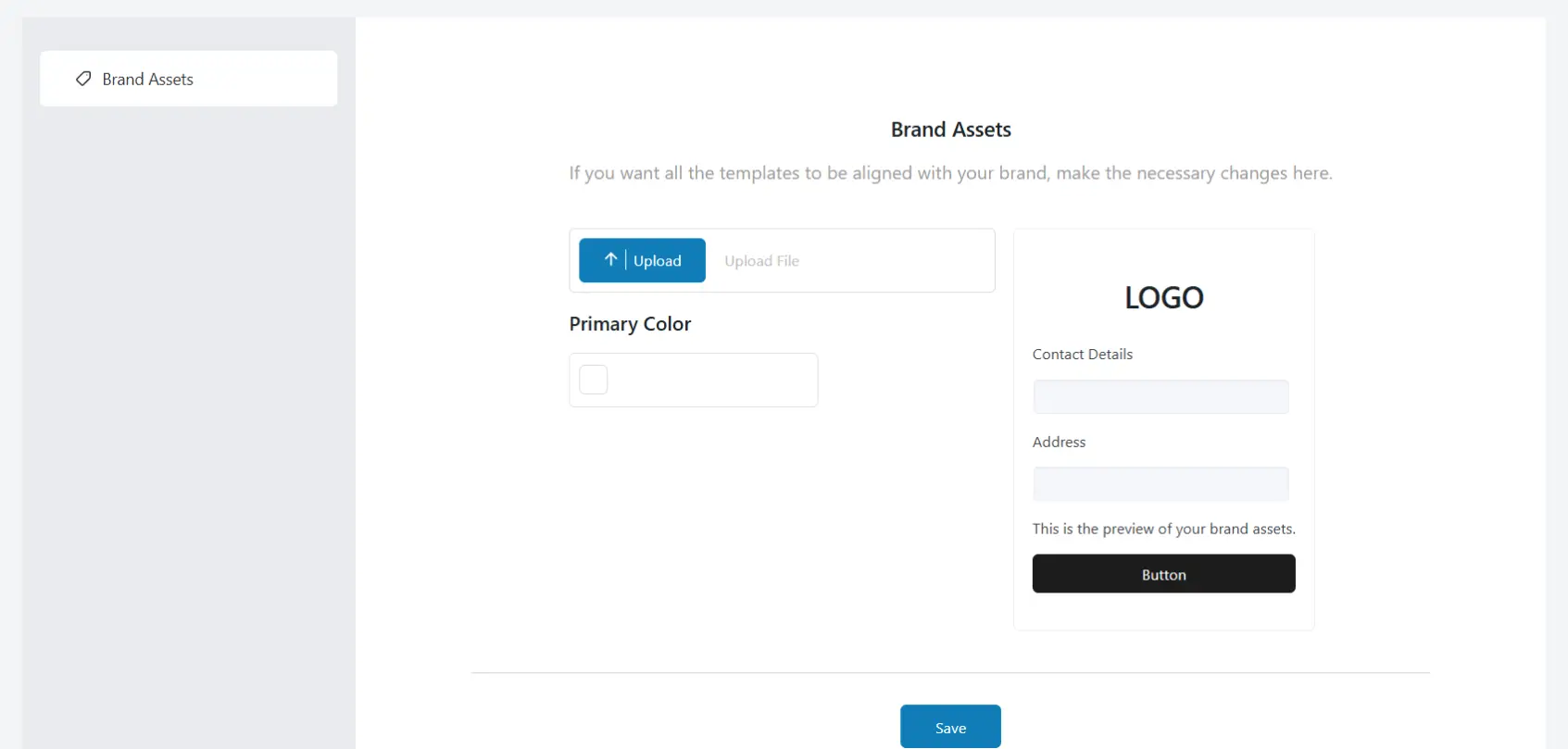
The “Brand Assets” settings page within the SKYRO WooCommerce Checkout plugin allows you to align the checkout templates with your brand identity. Here, you can upload your logo, which will be displayed on the checkout page, and set a primary color to be used for elements such as buttons and headings. Additionally, you can add your company’s contact details and address, enhancing the professional appearance of the checkout process. A preview is available to see how the brand assets will appear.
Frontend View
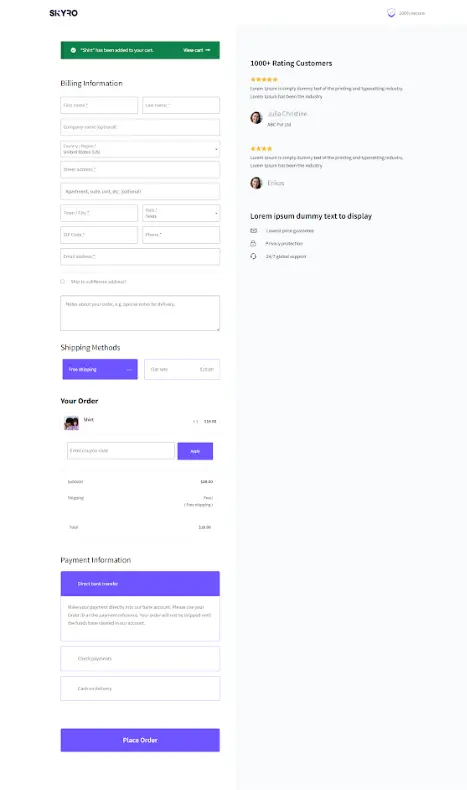
Below is an image representation of the frontend view after applying the changes. The frontend view feature of the Skyro WooCommerce Checkout plugin is designed to enhance the customer shopping experience by providing a streamlined, customizable, and visually appealing checkout page. It enables store owners to tailor the layout and design to match their brand, making the checkout process more intuitive and user-friendly. This ultimately helps reduce cart abandonment and boost conversion rates.
Customize the Thank You Page (Pro Feature)
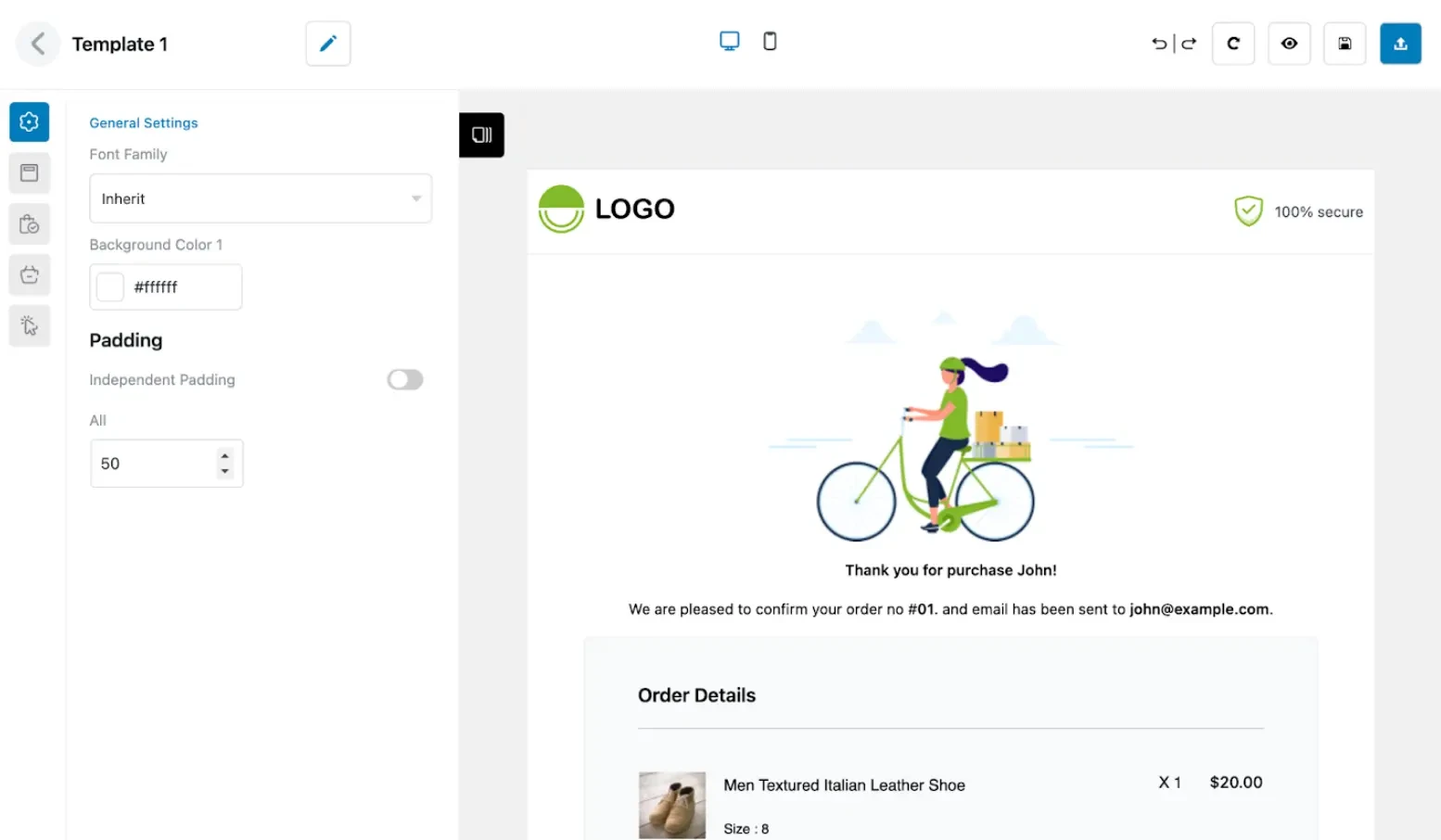
The Thank You Page customization is a Pro feature in the Skyro WooCommerce Checkout plugin. It lets you design a personalized post-purchase experience using pre-built templates and a drag-and-drop editor. You can customize fonts, background color, layout, and padding while displaying dynamic order and customer details.
This feature not only enhances brand consistency but also helps boost trust and engagement, ideal for adding upsells, product suggestions, or special offers right after checkout.
Key Features to Consider
- Conversion-Focused Checkout Templates: Quickly access and apply high-converting checkout templates that you can tailor to your store in just a few clicks.
- Intuitive Visual Design Editor: Easily adjust existing templates or create your own checkout layouts using a simple, beginner-friendly visual editor.
- Smooth Integration with Checkout Field Editor (CFE): Fully supports advanced field customization when used with ThemeHigh’s CFE plugin, offering a complete checkout solution.
- One-Step and Multi-Step Checkout Formats: Choose between a compact single-page layout or a step-by-step approach—whichever suits your store’s workflow better.
- Ready-Made Thank You Page Designs: Access thank you page templates that can be customized to match your brand and checkout design seamlessly.
- Simple A/B Testing Tool (Upcoming): Compare different checkout designs with ease and discover which version performs better in terms of conversions.
- Insightful Real-Time Analytics Panel (Upcoming): View user behavior and performance metrics clearly through a dashboard designed for quick insights and smart decisions.
Pricing
Skyro WooCommerce Checkout is a premium plugin developed by ThemeHigh, starting at just $79 per year. It is designed to enhance and streamline the WooCommerce checkout process, with professional support and regular updates. Whether you’re running a small store or planning to scale, Skyro offers flexible features to match your needs. Visit the official plugin page to explore the full feature list and choose the plan that fits your business best.
Pros and Cons
Pros
- User-Friendly Interface: Easy to navigate and customize without technical expertise.
- Enhanced User Experience: Streamlined checkout process reduces cart abandonment.
- Flexible Customization: Tailor the checkout page to match your brand and customer needs.
- Device Compatibility: Ensures smooth performance and appearance on desktops, tablets, and smartphones.
Cons
- Premium Pricing: May be considered expensive for small businesses or startups.
Performance & Optimization Insights
Skyro WooCommerce Checkout is optimized for performance, ensuring that the addition of custom fields and multi-step processes does not slow down the checkout experience. To maintain optimal performance:
- Limit the Use of Heavy Scripts: Avoid adding unnecessary scripts that could impact load times.
- Regular Updates: Keep the plugin updated to benefit from performance improvements and new features.
- Test Customizations: Regularly test the checkout process after making changes to ensure efficiency.
Best Use Cases
- eCommerce Stores: Enhance the checkout experience for customers, leading to increased conversions.
- Agencies: Deliver checkout solutions that align perfectly with your clients’ brand identity.
- Developers: Utilize the plugin’s flexibility to create unique checkout experiences for various projects.
Alternative Plugins
- CheckoutWC: CheckoutWC is a WooCommerce plugin that enhances your checkout page by replacing it with a Shopify-style cart and checkout experience. This streamlined design has been proven to increase sales and reduce cart abandonment.
- YITH WooCommerce Checkout Manager: YITH Checkout Manager helps you modify your WooCommerce checkout by letting you add or change fields, making the buying process smoother.
- WooCommerce One Page Checkout: With WooCommerce One Page Checkout, customers can select products and complete the entire purchase process on a single, streamlined page.
Final Thoughts & Recommendation
Skyro WooCommerce Checkout stands out as a comprehensive solution for enhancing the WooCommerce checkout experience. Its combination of user-friendly customization, performance optimization, and responsive design makes it a valuable tool for any e-commerce business looking to improve conversions and customer satisfaction. With its seamless integration and flexibility, Skyro empowers store owners to create a checkout flow that truly aligns with their brand and customer journey.
Download & learn more
To discover how Skyro WooCommerce Checkout can optimize your store’s checkout process, visit the official plugin page.

Leave a Reply
Articles
Related Insights.
Blogs and Resources on WordPress, WooCommerce, SEO and Marketing

Leave a
Comment.