
WebToffee WooCommerce Subscriptions: A Powerful Solution for Recurring Payments
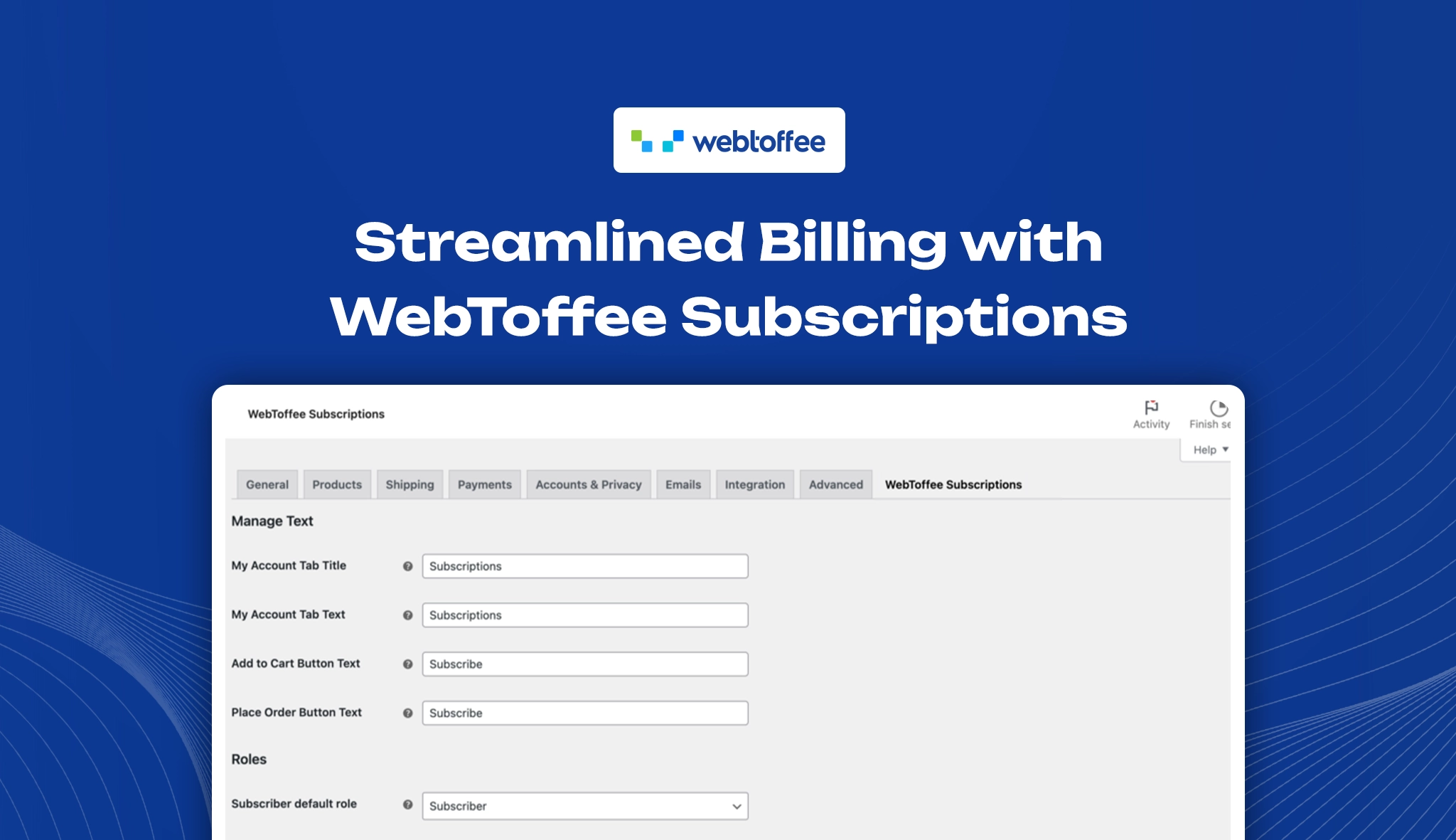
Managing recurring payments efficiently is crucial for eCommerce businesses that offer subscription-based products or services. WebToffee WooCommerce Subscriptions is a feature-rich plugin that simplifies subscription management, automates billing cycles, and enhances customer retention. With seamless WooCommerce integration, it enables store owners to implement and scale a recurring revenue model effortlessly.
Key Compatibility & Performance Stats
- Plugin Name: Subscriptions for WooCommerce
- Category: eCommerce, Subscription Management
- Compatibility: Requires WooCommerce, PHP 7.4+, and WordPress 5.3+
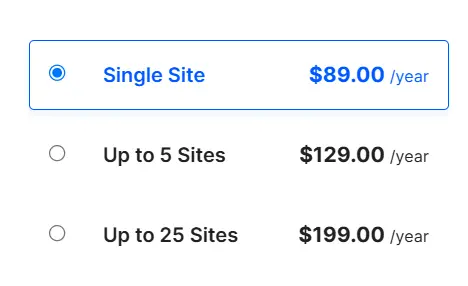
- Pricing: Premium (Starts at $89/year for a single site)
- Downloads: 2,000+
- Ratings & Reviews: Highly rated for ease of use and support, with a 4.8-star rating
Dashboard overview
WebToffee’s WooCommerce Subscriptions plugin offers a clean, intuitive dashboard that puts everything at your fingertips. Easily track renewals, adjust billing cycles, and customize subscription plans—all in one place for a smooth and efficient workflow.
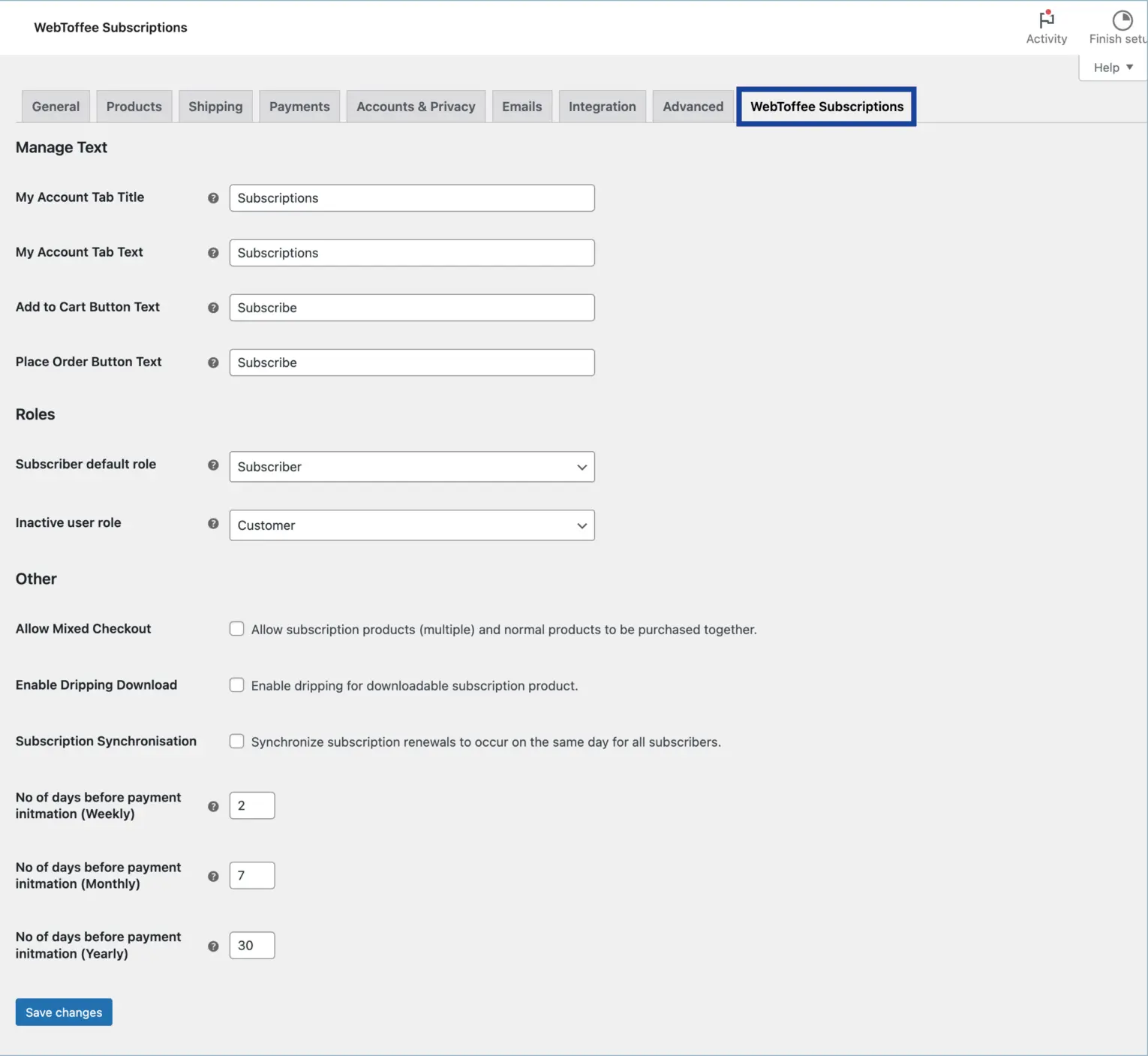
Following are the various settings present in the web toffee WooCommerce subscription plugin
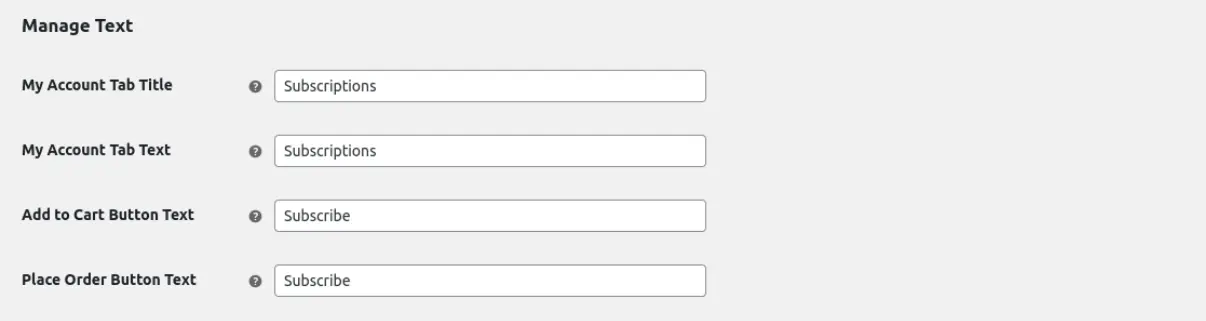
Manage text settings
The Manage Text settings allow store owners to customize labels and messages related to subscriptions. This includes modifying the My Account Tab Title and Text, which defines how the subscriptions section appears in the customer’s account. The Add to Cart Button Text lets you adjust the label when a subscription product is added to the cart, while the Place Order Button Text enables setting a custom label for completing a subscription order at checkout. These options help maintain brand consistency and enhance the shopping experience with clear, tailored messaging.
Roles settings
The Roles settings allow store owners to define user roles for subscribers and inactive users. The Subscriber Default Role determines the user role assigned to customers who purchase a subscription, ensuring they receive appropriate access and permissions. The Inactive User Role specifies the role assigned to users whose subscriptions have expired or been canceled, helping to manage access and distinguish active subscribers from non-subscribers. These options offer better control over user management and access restrictions within the subscription system.

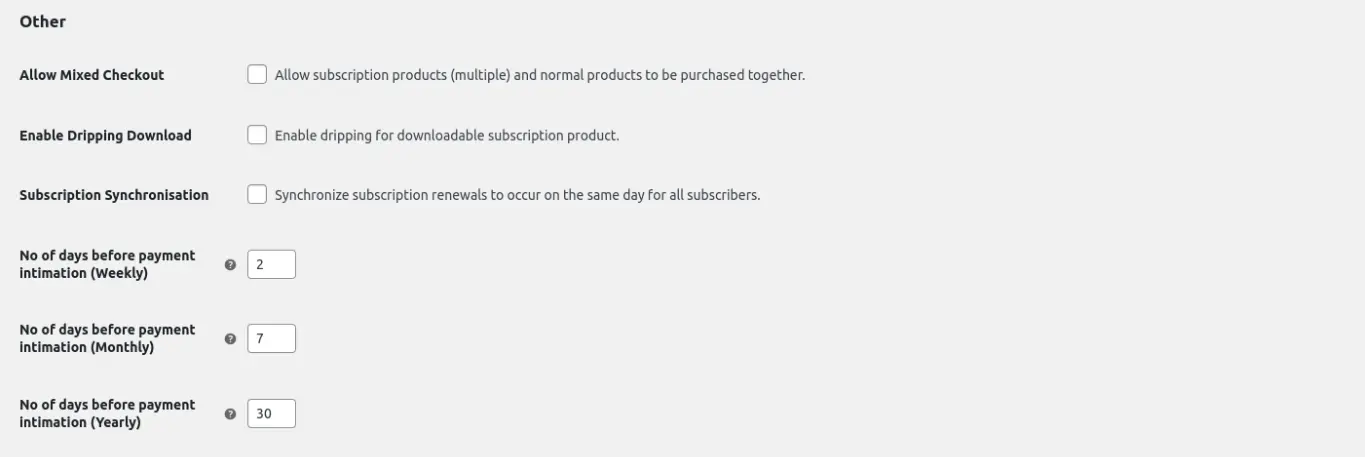
Other settings
The Other Settings section offers options to enhance subscription management. Allow Mixed Checkout lets customers buy both subscription and non-subscription products together. Enable Dripping Download releases downloadable content gradually. Subscription Synchronization aligns all renewals to the same date. Store owners can also set payment reminder days for weekly, monthly, and yearly subscriptions.
Key Features to Consider
- Flexible Subscription Plans: Easily set up simple and variable subscriptions with customizable pricing, billing intervals, subscription durations, and multiple product variations. Adapt plans to suit different customer preferences and business models.
- Enable Free Trials & One-Time Signup Charges: Offer a free trial period for a specified duration—whether days, weeks, months, or years—allowing customers to experience the service before committing. Additionally, set a one-time signup fee separate from the recurring subscription cost.
- Control Subscription Renewals & Expiration: Define flexible renewal cycles, choosing from daily, weekly, monthly, or annual billing intervals, with support for custom renewal frequencies. Set expiration dates for subscriptions to control service duration effectively.
- Provide Renewal-Based Discounts: Encourage long-term subscriptions by offering renewal discounts. Apply fixed or percentage-based discounts on recurring payments through subscription-specific coupons.
- Recurring Payments via Stripe & PayPal: Ensure seamless subscription billing with automatic recurring payments processed via Stripe and PayPal. Customers enjoy a hassle-free checkout experience while businesses maintain steady revenue.
- Align & Adjust Subscription Renewals: Synchronize renewal dates for all subscribers to streamline billing cycles. Use proration to fairly charge customers for the period between sign-up and the first renewal date, preventing overpayment or undercharging.
- Subscription Email Alerts & Updates: Send automated email notifications to customers and admins regarding key subscription events, including renewals, cancellations, expirations, suspensions, and payment failures, ensuring transparent communication.
- Customer-Controlled Subscription Management: Empower customers with self-service subscription controls. Allow them to view, cancel, pause, or resume their subscriptions from their account dashboard without needing admin assistance.
- Support for Multiple Languages: Offer subscriptions in multiple languages with built-in translation support for several languages. The plugin is also compatible with popular multilingual plugins, ensuring a seamless experience for international customers.
Pricing
WebToffee’s Subscriptions for WooCommerce is a premium plugin, starting at $89 per year for a single-site license. Higher-tier plans offer multi-site support and additional features. Check out the available plans and choose the one that best fits your store on the official WebToffee Subscriptions for WooCommerce page, your go-to source for full feature details and pricing.
Pros and Cons
Pros:
- Supports multiple subscription types (simple & variable).
- Seamless WooCommerce integration.
- Flexible billing schedules.
- Automated recurring payments.
- Excellent customer support.
Cons:
- No free version is available.
- Some advanced features require additional add-ons.
- Limited analytics (third-party tools may be needed for deeper insights).
Performance & Optimization Insights
While the Subscriptions plugin is well-optimized, improper configurations can slow down your website. To ensure optimal performance:
- Use a WooCommerce-optimized hosting provider.
- Implement caching solutions carefully to avoid conflicts with subscription renewals.
- Optimize image and script loading to reduce checkout page load times.
- Enable WooCommerce analytics to track subscription revenue.
Best Use Cases
WebToffee’s WooCommerce Subscriptions plugin is ideal for businesses that rely on recurring revenue. It can be used effectively in the following scenarios:
- eCommerce stores selling subscription boxes (e.g., coffee, skincare, or book subscriptions).
- Online learning platforms offering course memberships.
- SaaS businesses providing software subscriptions.
- Service providers billing for coaching, maintenance, or consultation services.
Alternative Plugins
WooCommerce Subscriptions (Official WooCommerce Plugin): The official WooCommerce plugin for creating and managing recurring payments with flexible billing options.
YITH WooCommerce Subscription: A subscription plugin that supports recurring payments for both physical and digital products with customization options for billing cycles and free trials.
Paid Memberships Pro: A membership-focused plugin that enables businesses to create subscription-based access with recurring billing and content restrictions.
WP Simple Pay: A Stripe-based payment plugin that supports one-time and recurring payments, suitable for businesses looking for a simple subscription setup.
Final Thoughts & Recommendation
The WooCommerce Subscriptions plugin by WebToffee is an excellent solution for businesses looking to implement and manage recurring payments seamlessly. With its user-friendly interface, automated billing features, and flexible subscription controls, it’s a valuable investment for WooCommerce store owners.
For businesses seeking a cost-effective, powerful, and scalable subscription management plugin, WebToffee WooCommerce Subscriptions is a strong contender.
Download & learn more
Empower your store with automated subscription features using WebToffee’s Subscriptions for WooCommerce. From flexible renewal cycles to easy plan management, everything is built to keep your revenue consistent and your customers coming back.

Leave a Reply
Articles
Related Insights.
Blogs and Resources on WordPress, WooCommerce, SEO and Marketing

Leave a
Comment.