
Midnay Patterns
Contents
Post Grid Layouts

Post Filter
- Hide Main Title Selection
- Hide Link
- Link Title
- Post Type Selection
- Taxonomy Selection
- Multiple Term Selection
- Background Color
- Choose Background Image
- Padding & Margin
- Heading Settings
- Excerpt Settings
- Author & Date Settings
- Active Term Styling
- Regular Term Styling
- Post Styling
- Hover Effect
- Actions
- Advanced
Post Ticker

Slider
URL Snippet
Parallax
Midnay Patterns
The Midnay Block Suite provides a set of pre-designed patterns, grouped into five categories. Each category contains 2–3 layout options that can be quickly inserted into your pages or templates.
Step 1:
- Click the three-line (☰) menu on the left side of the edit page.
- Select Patterns from the menu.
- You will see five categories of MBS Patterns listed there.
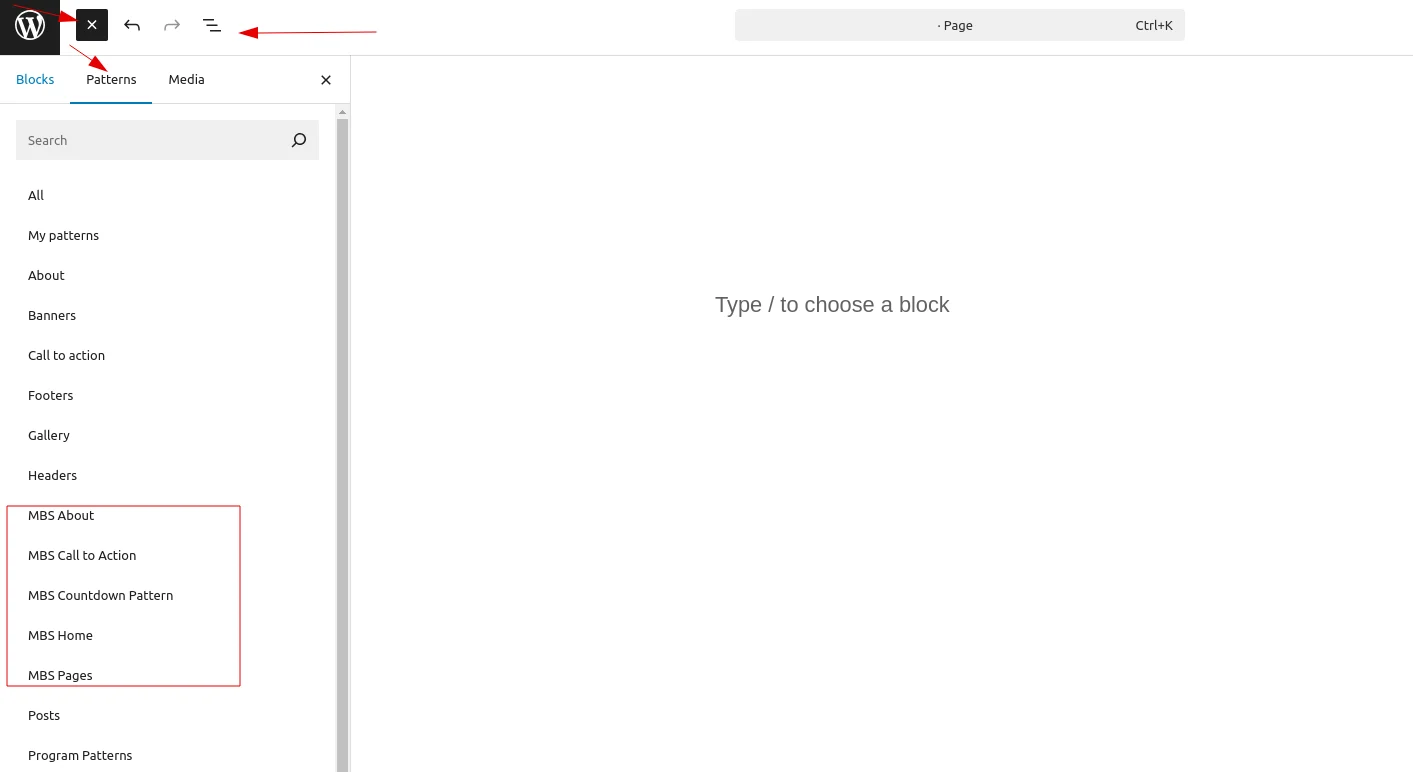
Step 2:
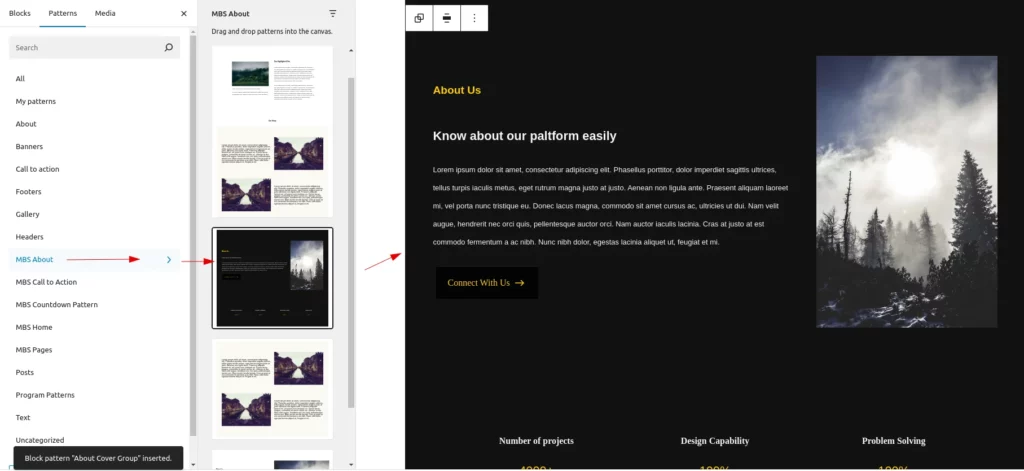
Select a category to view the set of patterns under it. Choose the pattern you want and click on it, and it will be added to the page.
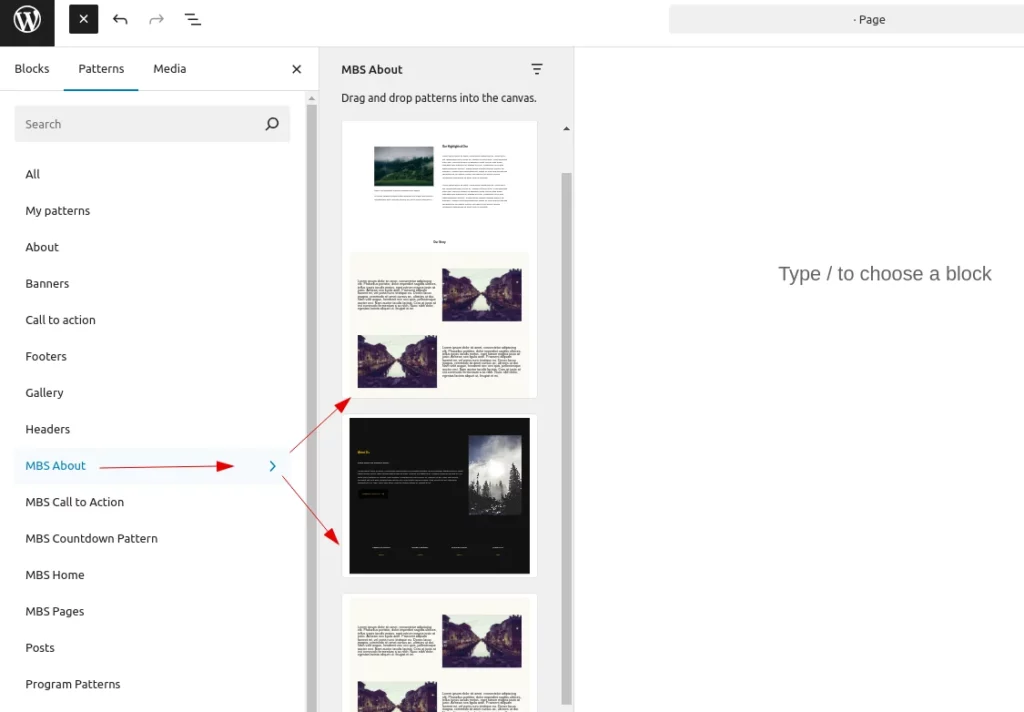
Step 3 :
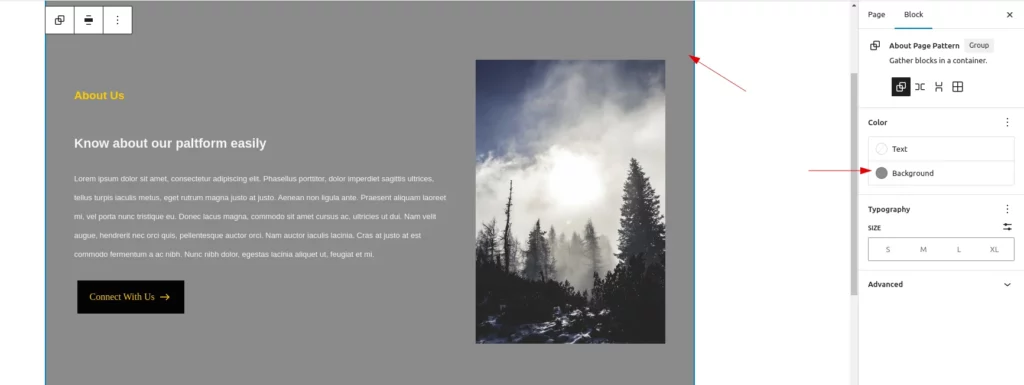
After adding a pattern to the page, you can customize the background color, text, and images. For Midnay blocks, you can adjust the block settings from the right-side panel.
The Pattern categories are:
MBS About
This category contains 4 patterns:
- An About page design with 4 sections, including a hero, a Midnay highlighted block, a description section, and a Midnay post grid block.
- An About section with a black background, About text, a Midnay advanced block, and an image on the right side, followed by a 4-column details layout.
- A section with a paragraph on the left side and an image on the right side (and vice versa).
- A section with About text and an image on the right side.
MBS Call to Action
This category contains 3 patterns:
- A two-section layout: the first section has a black background with a heading on the left and a paragraph on the right; the second section includes a cover image with a Midnay Advanced Button block.
- A section featuring a grey box with rounded corners, heading text, a paragraph, social media icons from Midnay Icons, and an Advanced Button from the Midnay Block.
- A section with a Pale Rose background containing two Dark Slate Blue columns with text and a Midnay Advanced Button.
MBS Countdown Pattern
This category contains 2 patterns:
- A section with a cover image, text, and a Midnay Countdown block.
- A section with a black background, text, and a yellow Midnay Countdown block.
MBS Home
This category contains 4 patterns:
- A page pattern with a hero cover block, an About section, an Our Team section using the Midnay Post Grid block, a four-column layout with images and text, and a Blog section using the Post Grid block.
- A section with two columns: one column includes a heading, paragraph, and Midnay Advanced Button; the other displays four images in a grid.
- A two-section layout: the first section has an Ivory White background with a heading on the left and a paragraph on the right; the second section includes a cover image.
- A section with a cover image, heading, paragraph, and a Midnay Advanced Button block.
MBS Page
This category contains 2 patterns:
- A News page pattern featuring Midnay Post Grid layout blocks and a Post Ticker block.
- An Archive page pattern with a heading, paragraph, Advanced Button, and Post Filter block.